Broken Authentication referes to weaknesses in an application’s authentication mechanisms that allows an attacker to impersonate legitimate users, bypass authentication controls or gain unauthorized access to accounts
These vulnerabilities commonly arise from →
Weak Password Policies
Improper Session Management
Insufficient Protection against Brute-force Attacks
Insecure Password Recovery Mechanisms
Incorrect Validation of Authentication Tokens
User Enumeration
This usually occurs on login/register features where the given webapp responds differently depending on whether the user exists or not
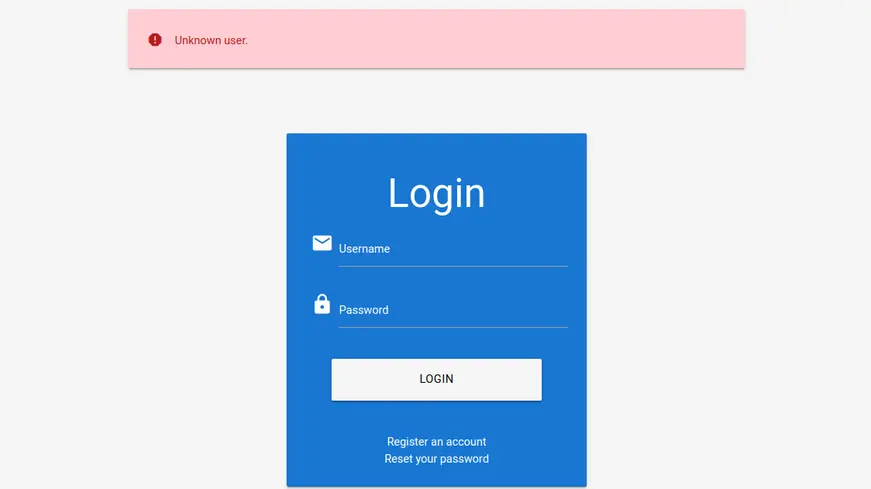
So, let’s imagine that we are facing a web application and it has a login feature, when trying to authenticate with a non-existing user, we get the following error message
Unknown user.
Zoom in
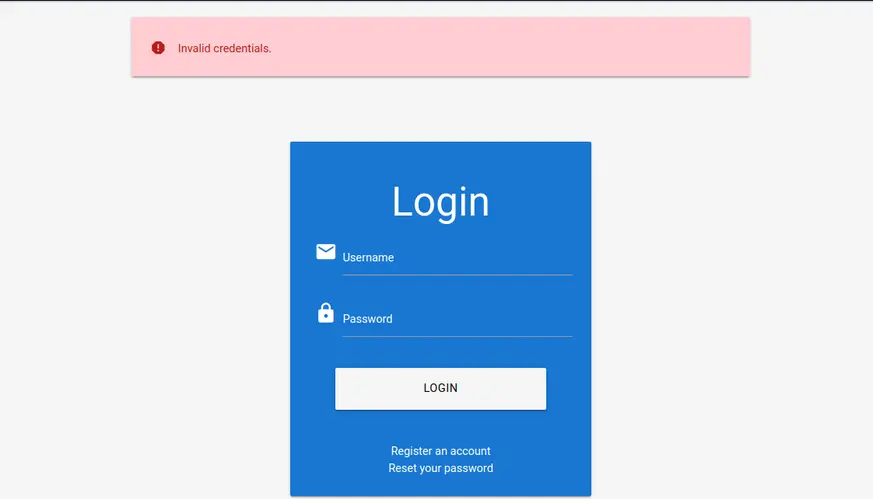
In the other hand, we get the message below with an existing user account
Incorrectly authentication for an existing user ⬇️
Invalid credentials.
Zoom in
Knowing that the web application response differs in both cases, we can just send authentication requests and filter out the unwanted response
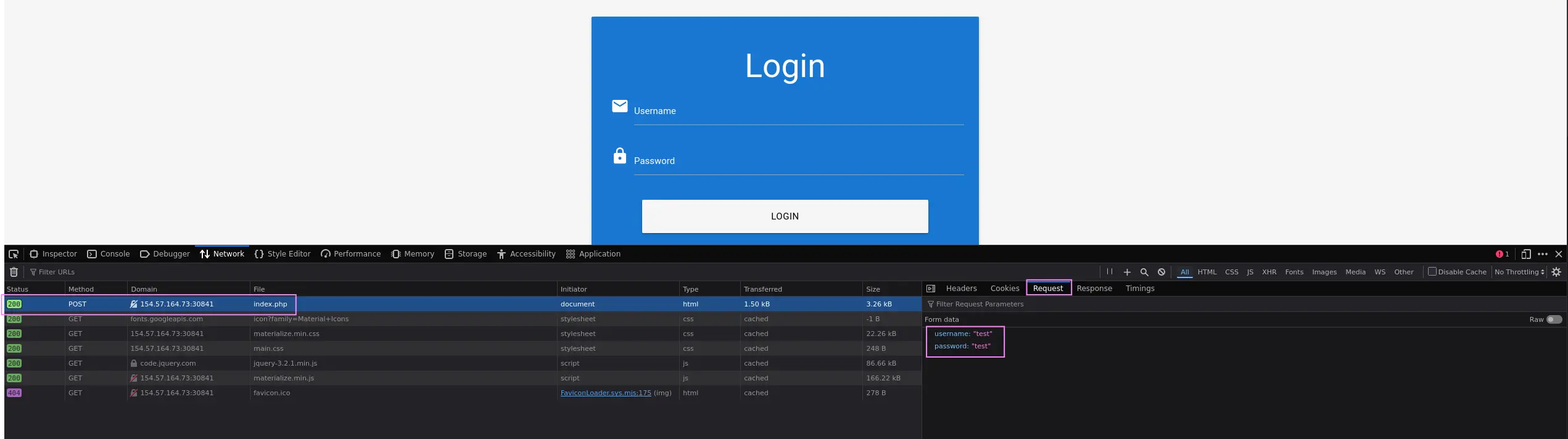
First, analyze the authentication request to know the POST parameters, so we can replicate it with ffuf
Users usually set weak passwords to their accounts, so once we know valid user accounts, we can try to brute-force passwords
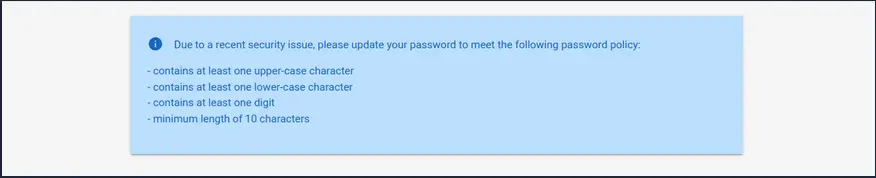
First, it’s always recommended to see if we can gather the web application’s password policy either on the login or register pages
Applications usually indicate which requirements must the given password meet when registering a new account
So, we can try to register a new account in order to find out the password requirements
Zoom in
With this in mind, we can filter out from our wordlist any string that does not meet the given policy requirements before starting the brute-force process
Requirements
At least one uppercase
At least one lowercase
At least one digit
Minimun length of X characters
Given the requirements above, we can proceed as follows →
Most of web application with user register/login features implement a password recovery functionality in case a user forgets their password
This functionality usually relies on a one-time reset token, which is transmitted to the user via SMS or email
Then the user authenticates to the web application using this token in order to reset the password
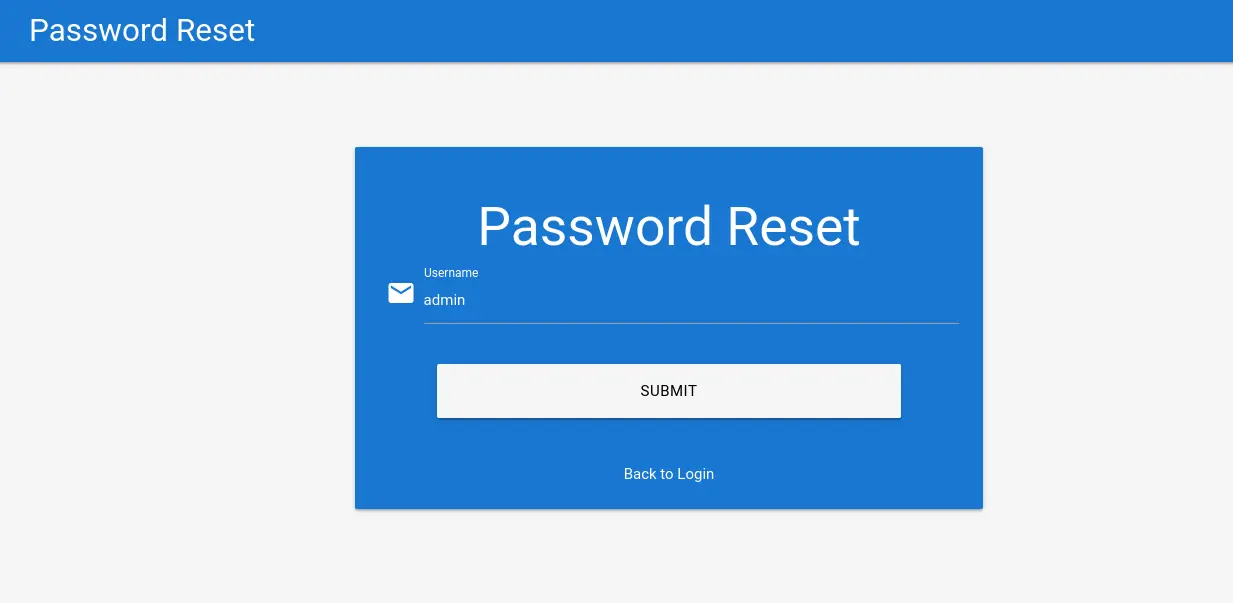
Therefore, a weak password-reset token may be brute-forced or predicted by an attacker to gain unauthorized access and takeover the victim’s account
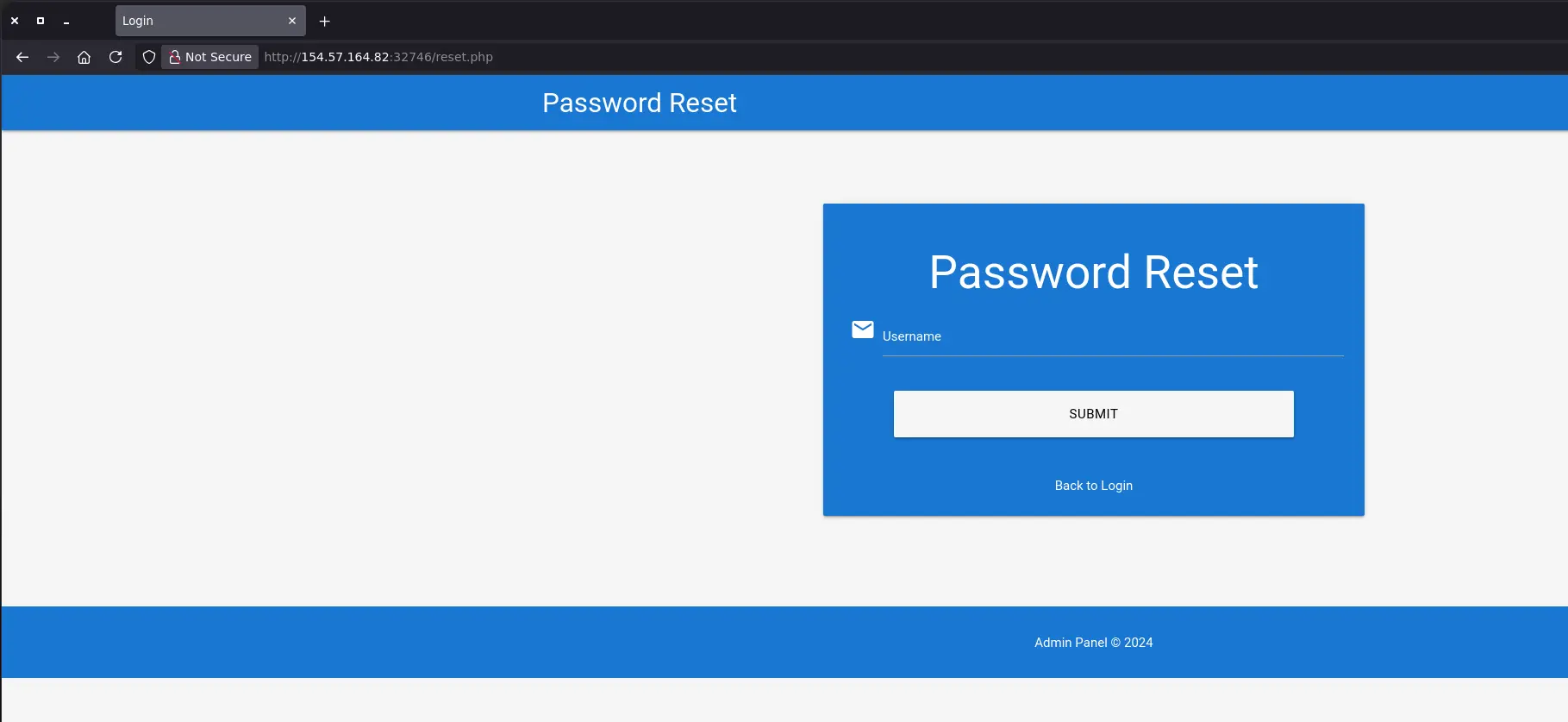
For instance, a web application has the password-reset feature below:
Zoom in
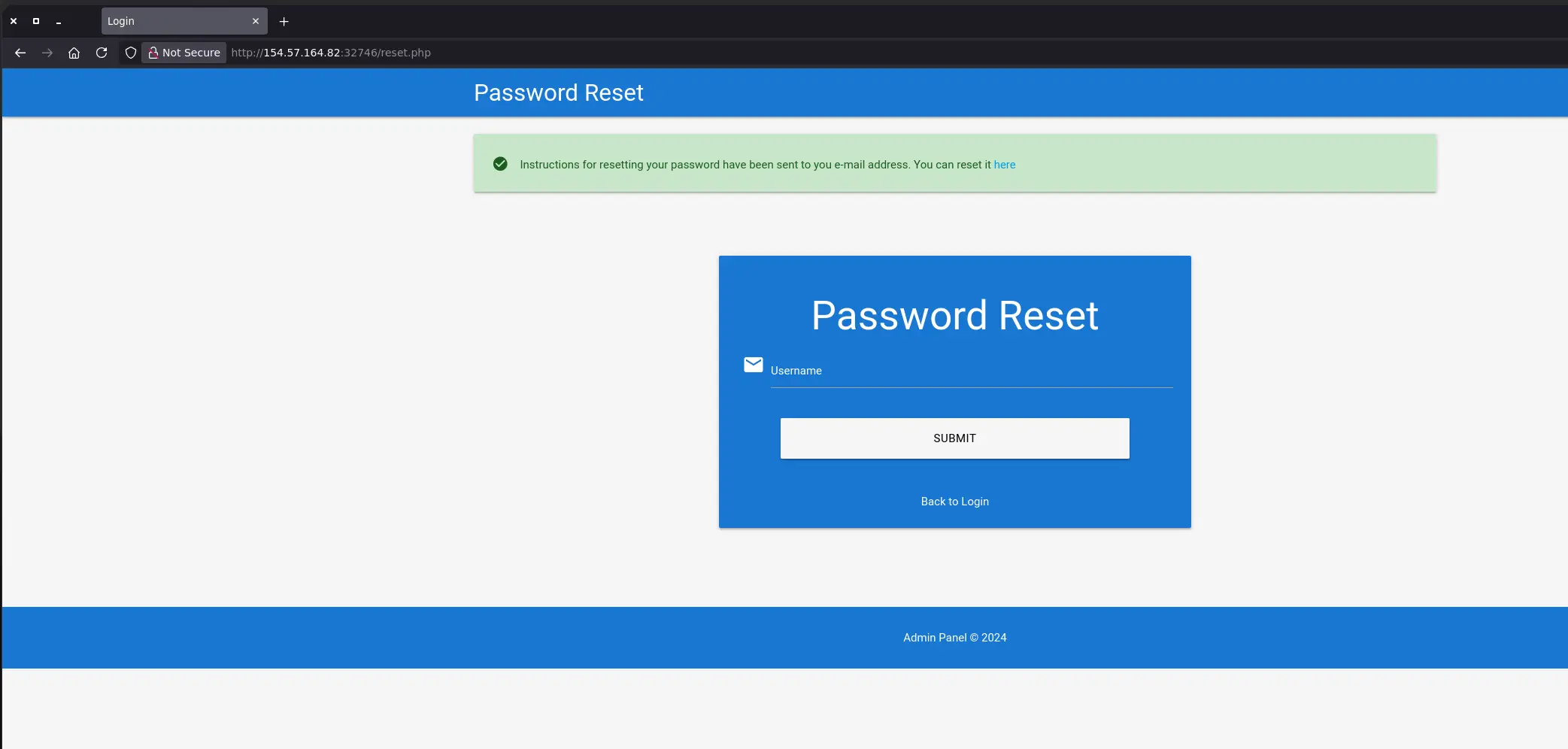
We can enter any random username and receive the following response:
Zoom in
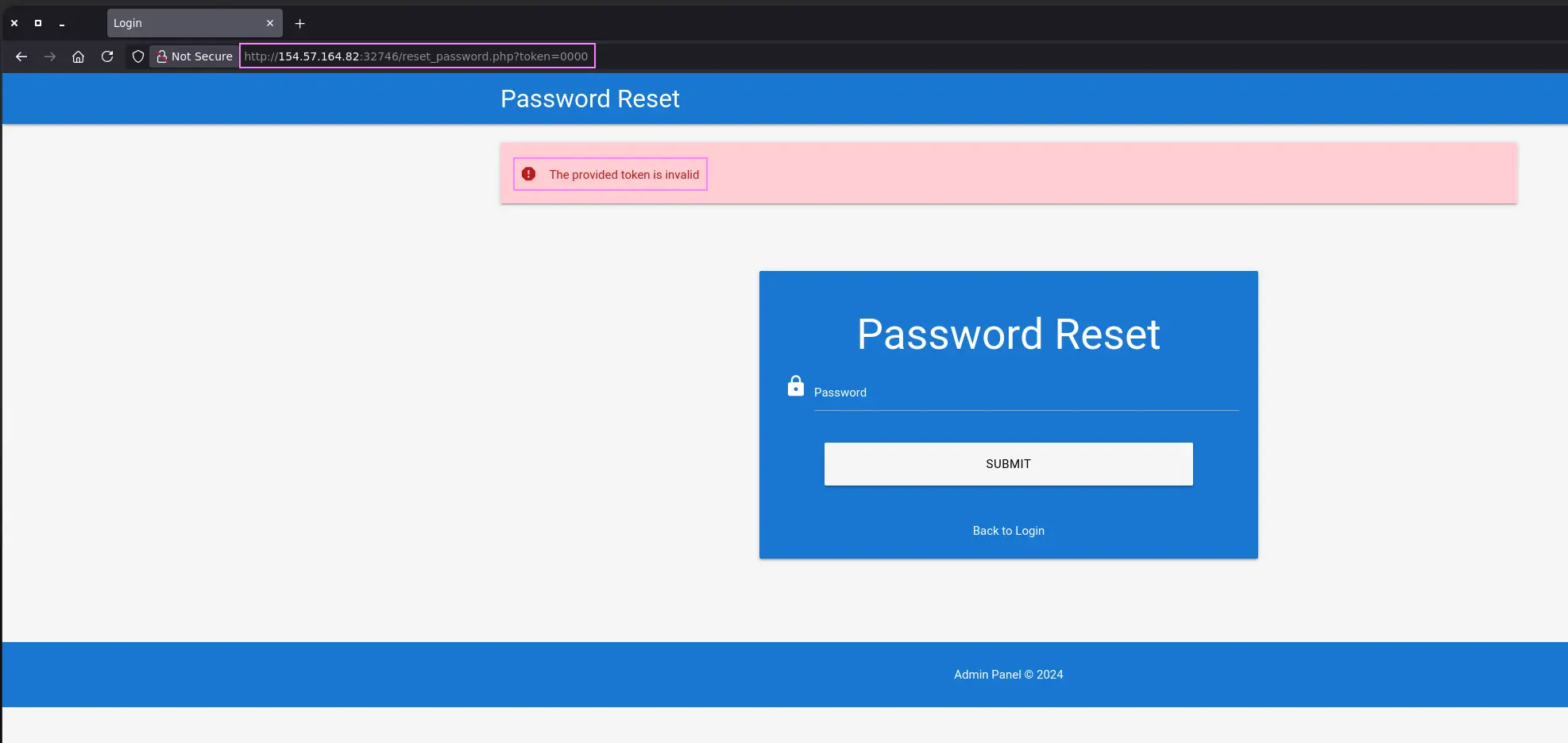
By accessing the link above, we land into the password-reset page. However, we receive an error message as we don’t have a valid token in order to reset the password of an existing user
In addition, we know how the token is sent to the web application
http://<TARGET>/reset_password.php?token=<TOKEN>
It would be interesting to know the token structure as well. To do so, we can simply try to sign up on the web app and subsequently request a password-reset for our user
We will receive an email containing a valid URL with the given token
Hello,<SNIP>1. Click on the following link to reset your password: Click2. If the above link doesn't work, copy and paste the following URL into your web browser: http://weak_reset.htb/reset_password.php?token=7351<SNIP>
Given that the token in question consists of only a 4-digit number, we can try to brute-force valid tokens
But first, let’s see which response we get when providing a wrong token to the password-reset feature
Zoom in
The provided token is invalid
So now we can request another password-reset for an existing account whose password we don’t know and filter out the string above before starting the Fuzzing process
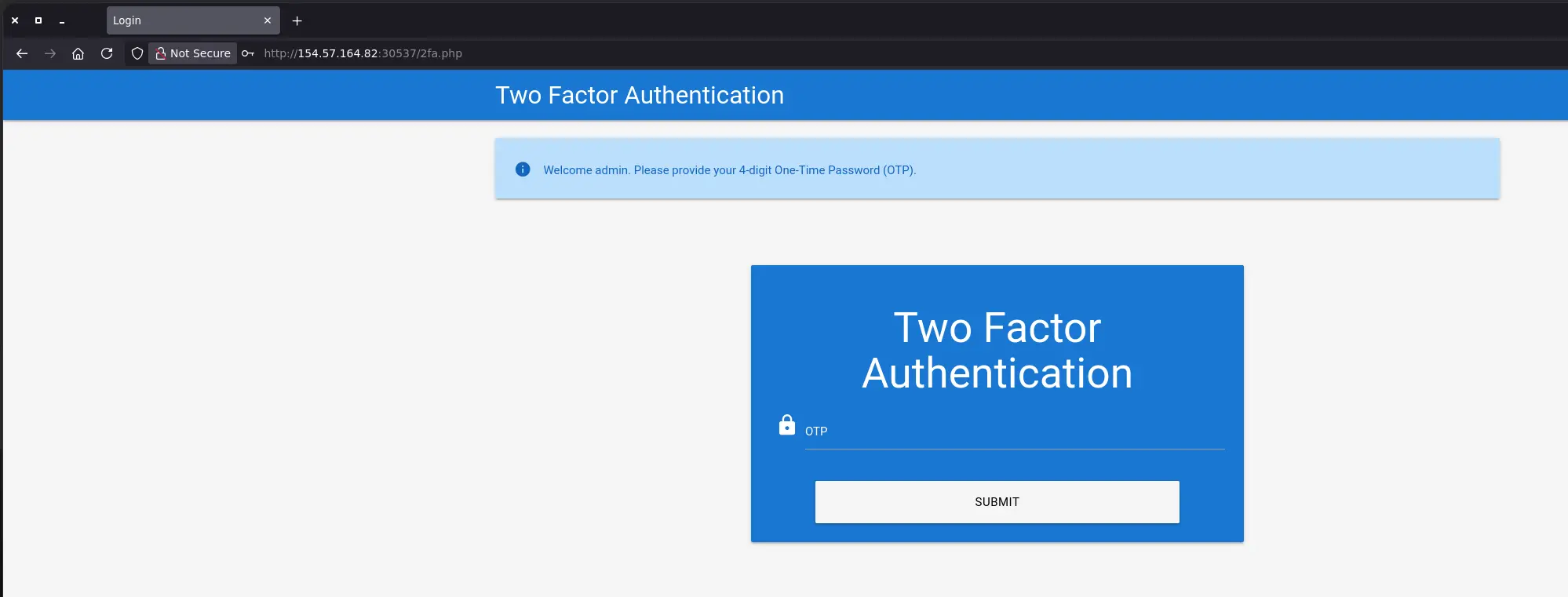
After getting valid credentials through phising, we try to authenticate to the web application but 2FA is enabled, so the web app is asking us for a 2FA code
Zoom in
Having failed several times, we do not see the web app requesting any token other than the initial one
Therefore, knowing that it’s a 4-digit OTP, we can try to guess it through brute-force
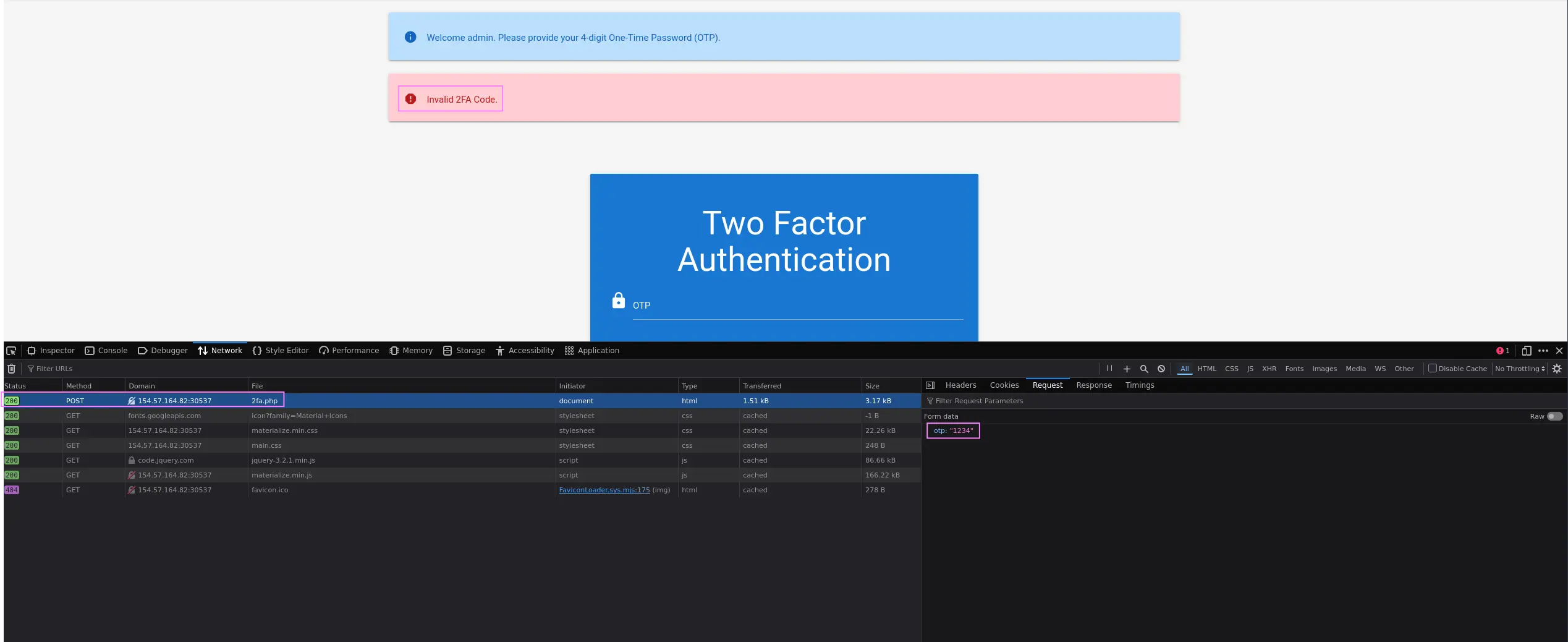
First, analyze the POST request to see how the code is sent once submitted
Zoom in
otp=<CODE>
Furthermore, we see that we receive the Invalid 2FA Code. error message. So, as with previous cases, we can filter out the latter before starting the fuzzing process
We have to take into account that a cookie is set after first authentication, so we have to pass the cookie to the fuzzing tool as well
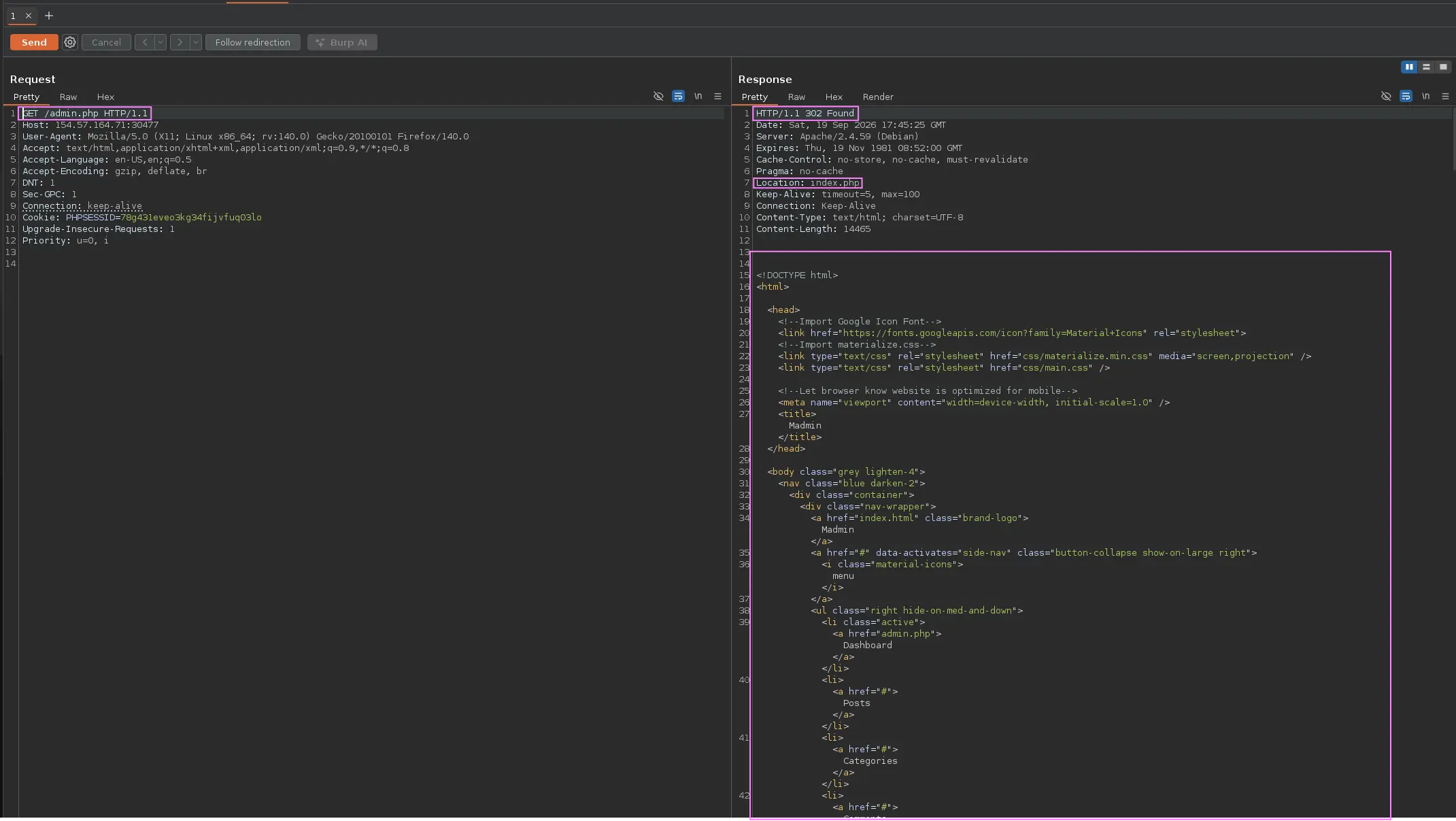
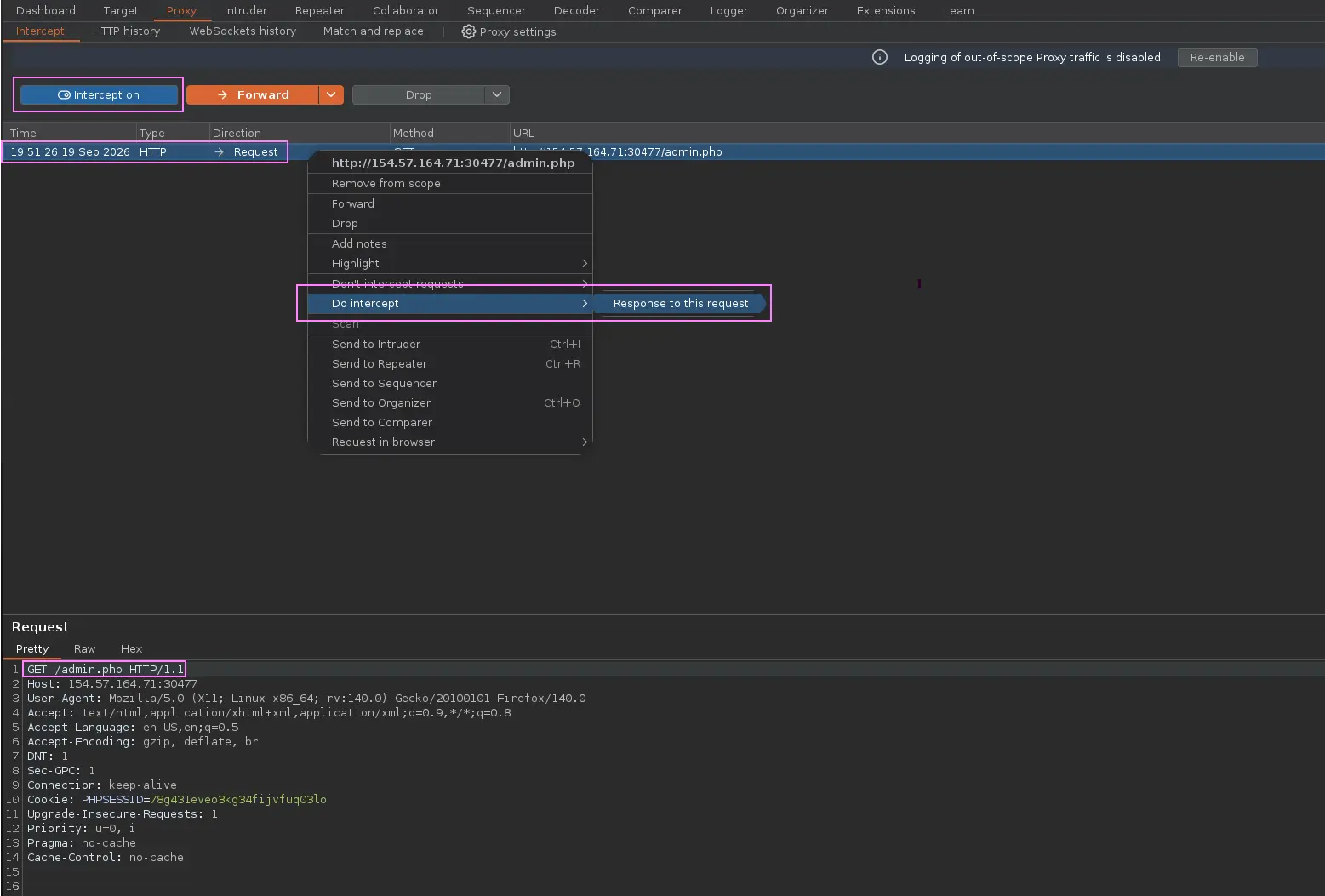
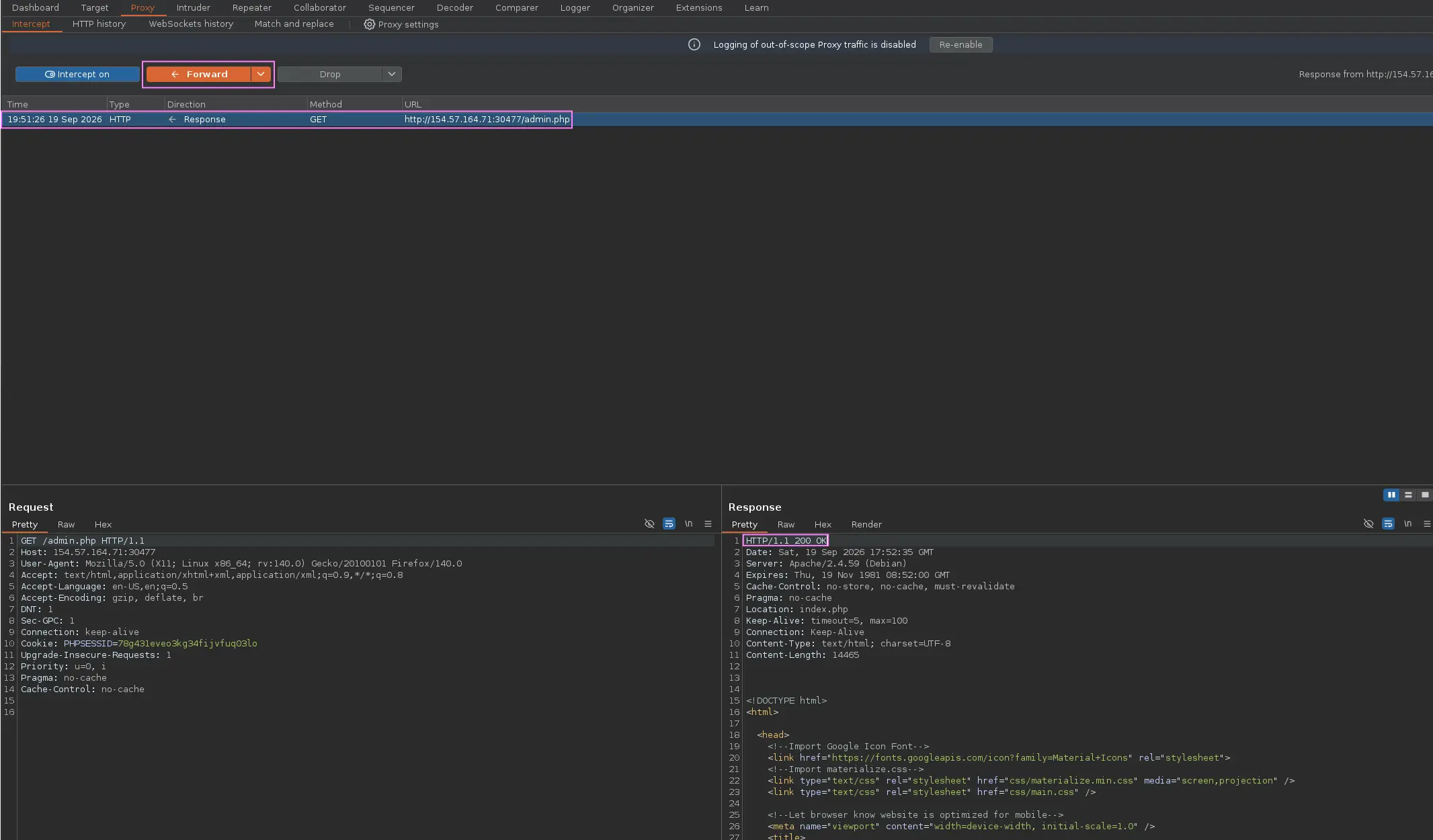
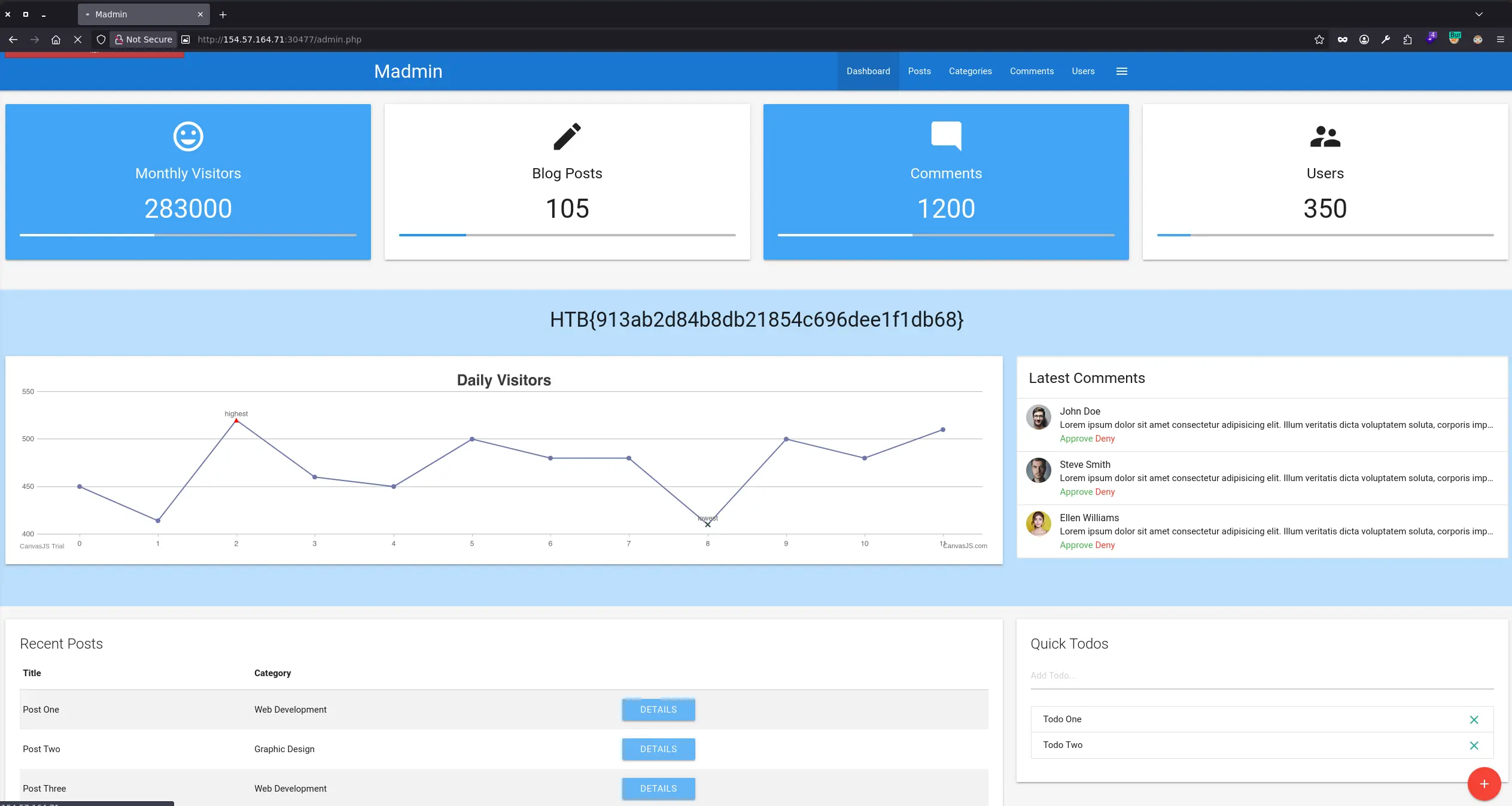
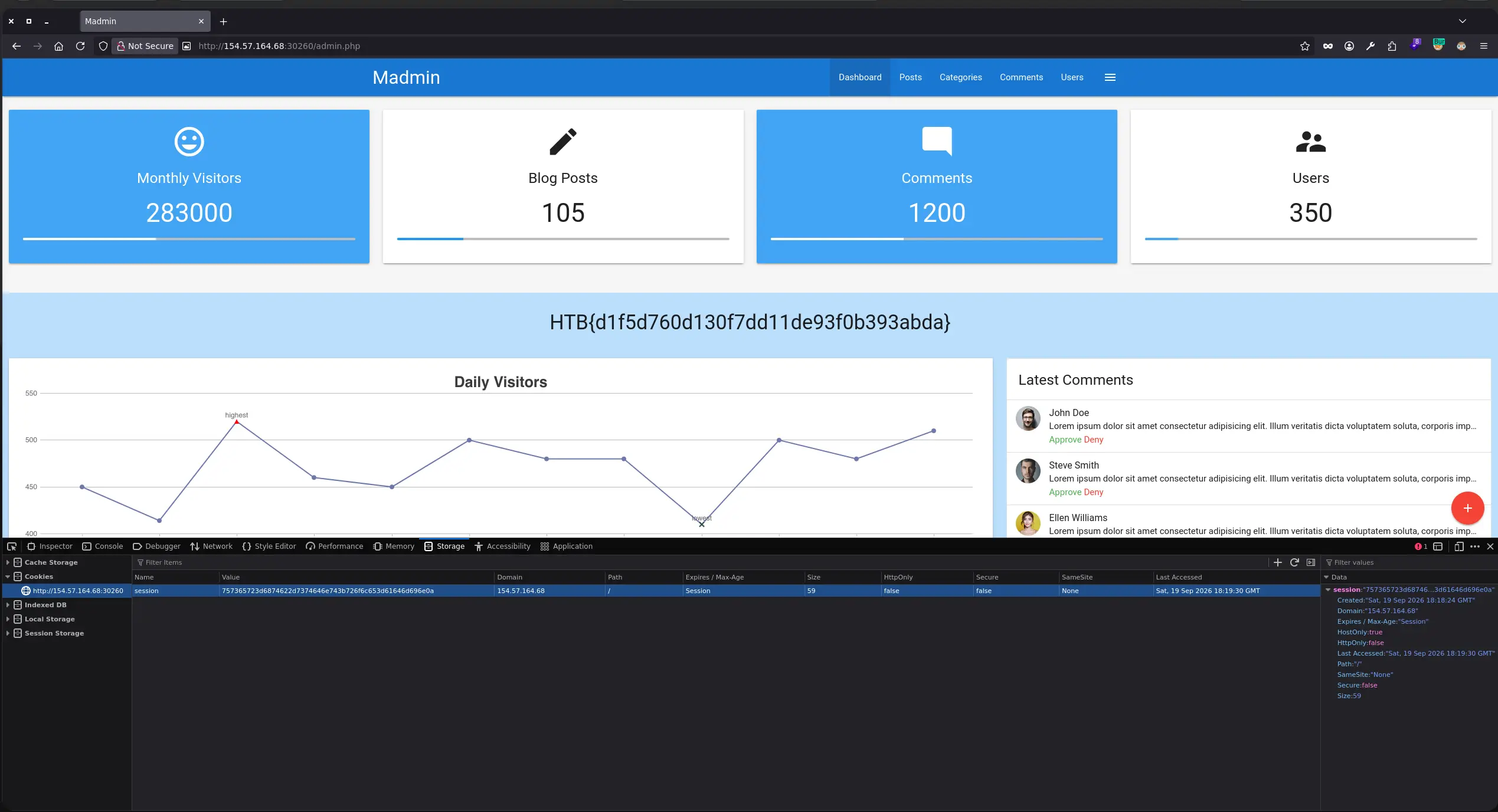
To be able to access admin.php directly from the browser, simply intercept the request with an HTTP Proxy - such as Burpsuite - and replace the 302 Found with 200 OK
Zoom in
Zoom in
Zoom in
And that’s it!
Attacking Session Cookies/Tokens
A web application may set weak and predictable cookie tokens after successful authentications
For instance, we might face a web application that sets the cookie below after an authentication
Zoom in
Since it’s 4 digits long, we can perform brute-force to guess other existing tokens, so we can takeover any existing account
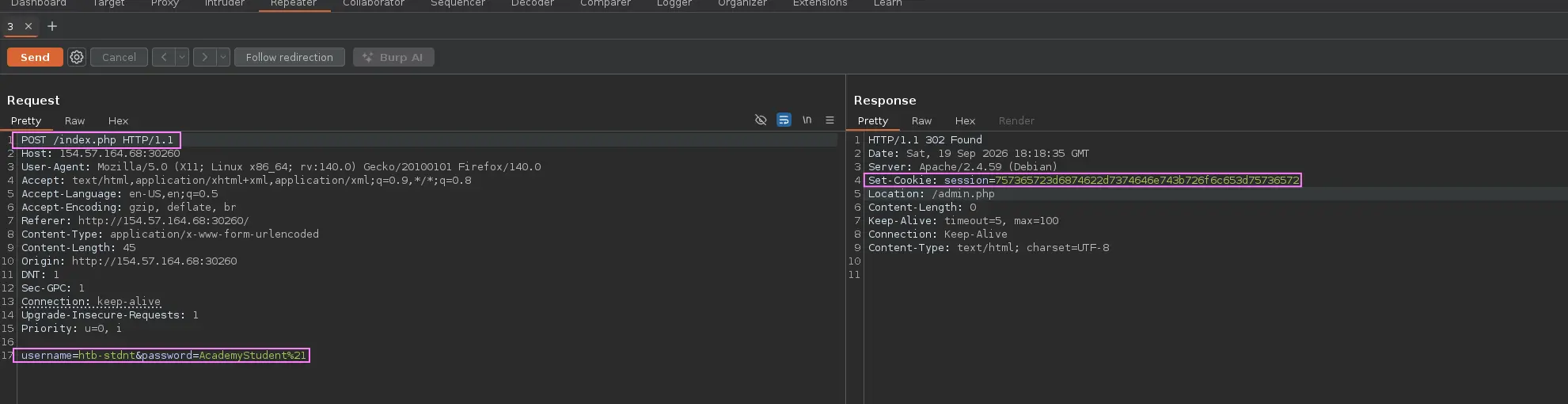
Other scenario would be a web app that generates a cookie session based on certain data such as the username in question and a role
Zoom in
It might seem random at first, but it definitely is not. In this case, it appears to be an hexadecimal string