# Nmap 7.94SVN scan initiated Fri Nov 1 20:51:24 2024 as: nmap -p22,80,33060 -sCV -oN targeted 10.129.148.205Nmap scan report for academy.htb (10.129.148.205)Host is up (0.10s latency).PORT STATE SERVICE VERSION22/tcp open ssh OpenSSH 8.2p1 Ubuntu 4ubuntu0.1 (Ubuntu Linux; protocol 2.0)| ssh-hostkey:| 3072 c0:90:a3:d8:35:25:6f:fa:33:06:cf:80:13:a0:a5:53 (RSA)| 256 2a:d5:4b:d0:46:f0:ed:c9:3c:8d:f6:5d:ab:ae:77:96 (ECDSA)|_ 256 e1:64:14:c3:cc:51:b2:3b:a6:28:a7:b1:ae:5f:45:35 (ED25519)80/tcp open http Apache httpd 2.4.41 ((Ubuntu))|_http-title: Hack The Box Academy|_http-server-header: Apache/2.4.41 (Ubuntu)33060/tcp open mysqlx?1 service unrecognized despite returning data. If you know the service/version, please submit the following fingerprint at https://nmap.org/cgi-bin/submit.cgi?new-service :SF-Port33060-TCP:V=7.94SVN%I=7%D=11/1%Time=67253147%P=x86_64-pc-linux-gnu%SF:r(GenericLines,9,"\x05\0\0\0\x0b\x08\x05\x1a\0");Service Info: OS: Linux; CPE: cpe:/o:linux:linux_kernelService detection performed. Please report any incorrect results at https://nmap.org/submit/ .# Nmap done at Fri Nov 1 20:54:20 2024 -- 1 IP address (1 host up) scanned in 176.38 seconds
OS Version (Codename)
In Linux Systems, the Operative System Version could be extracted through Launchpad
According to the Version Column Data of the Comprehensive Scan, proceed as follows →
No information related to the Service running in 33060 Port is displayed
Let’s move into the next for the moment
80 - HTTP
General Information
Banner Grabbing
Academy/scans
nc -v 10.129.148.205 80 <<< ""
Command Output
Academy/scans
10.129.148.205: inverse host lookup failed: Unknown host(UNKNOWN) [10.129.148.205] 80 (http) openHTTP/1.1 400 Bad RequestDate: Sat, 02 Nov 2024 07:10:31 GMTServer: Apache/2.4.41 (Ubuntu)Content-Length: 301Connection: closeContent-Type: text/html; charset=iso-8859-1<!DOCTYPE HTML PUBLIC "-//IETF//DTD HTML 2.0//EN"><html><head><title>400 Bad Request</title></head><body><h1>Bad Request</h1><p>Your browser sent a request that this server could not understand.<br /></p><hr><address>Apache/2.4.41 (Ubuntu) Server at 127.0.1.1 Port 80</address></body></html>
The Web Server is an Apache, if a Local File Inclusion arises in the Web Application, we can start thinking about Apache’s Default Logs Paths to achieve an RCE via Log Poisoning
Server HTTP Response Headers
Academy/scans
curl --silent --request GET --location --head "http://10.129.148.205"
# Nmap 7.94SVN scan initiated Sat Nov 2 08:05:11 2024 as: nmap -p80 --script http-enum -oN simpleWebScan 10.129.148.205Nmap scan report for academy.htb (10.129.148.205)Host is up (0.053s latency).PORT STATE SERVICE80/tcp open http| http-enum:| /admin.php: Possible admin folder|_ /login.php: Possible admin folder# Nmap done at Sat Nov 2 08:05:23 2024 -- 1 IP address (1 host up) scanned in 11.43 seconds
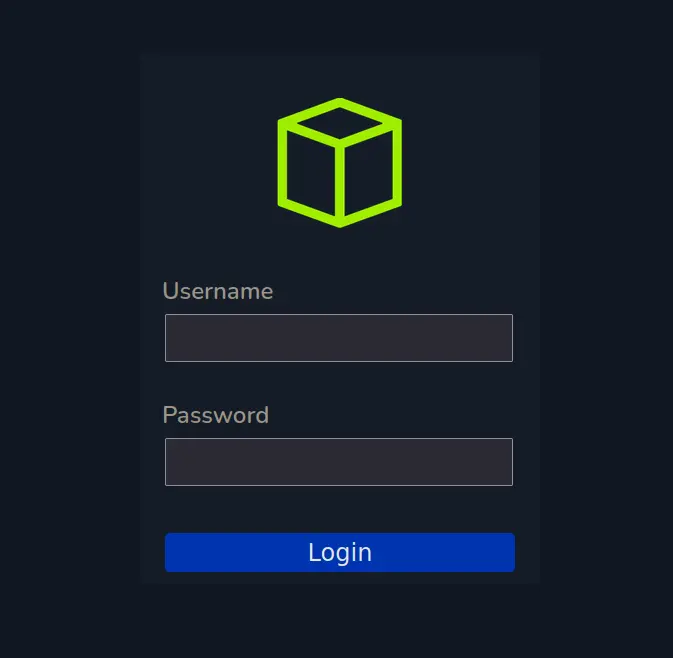
Two interesting resources are extracted, a Login Panel and one related to web administration
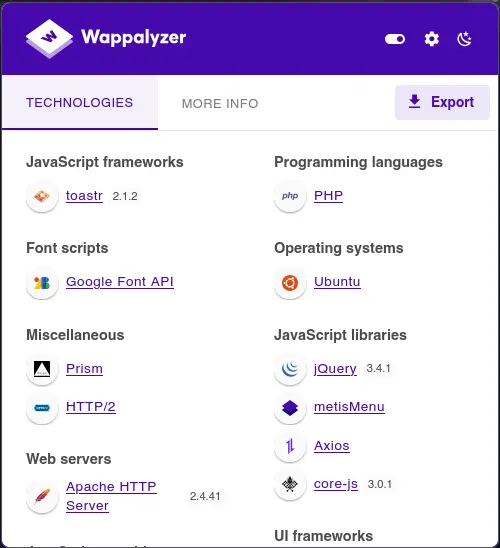
Furthermore, the above resources are PHP Scripts, therefore, we know that the Server side Language Programming is PHP
So, if a Command Injection or an RCE occurs, we can start thinking in several php functions to run commands in the system such as exec(), shell_exec(), system()
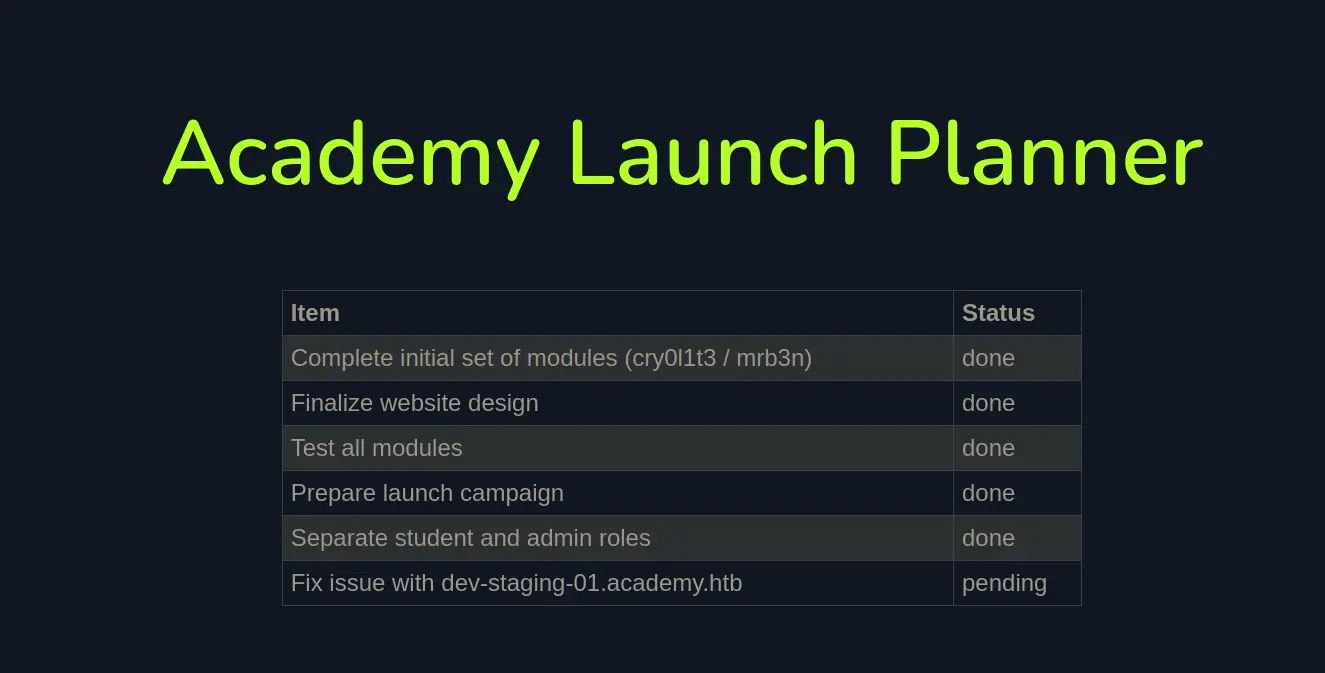
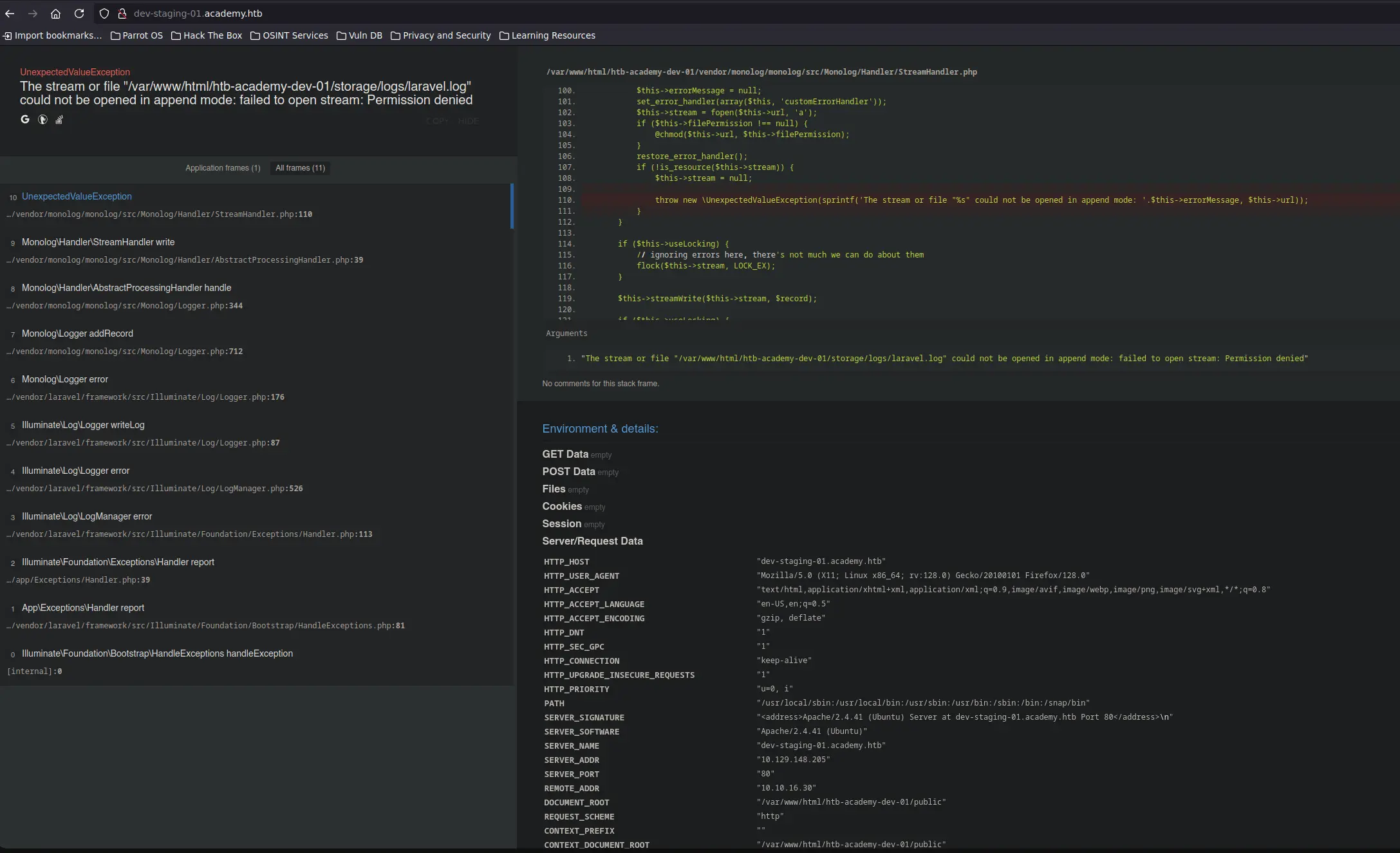
In this case, this Laravel Application has Debug Mode enabled since one issue, with the application, has been reported as we saw earlier
Note that, when Laravel Debug Mode is set, some interesting information is leaked such as the Web Application System Path, Enviroment Parameters and other juicy data
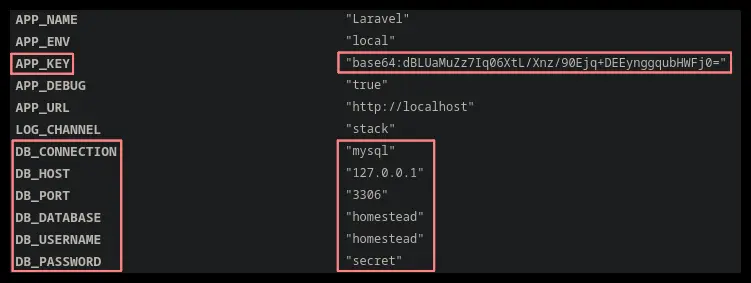
But, amongs all this information, the following stands out →
Zoom In
APP_KEY
Database Credentials
Since we tried before to connect to the 33060 Port related to a MySQLx service but we couldn’t, let’s store this credentials for later use
In the other hand, we have the APP_KEY value, Normally, this APP_KEY is used by the Laravel Application to encrypt some authentication or session objects
This prevents those objects from being modified on the Client-Side. Therefore, no malicious payload crafting or modification of those objects can be performed
But, if the Laravel APP_KEY is leaked and the Object Deserialization performed in the Server-Side is not sanitized correctly, an attacker could craft a malicious payload to perform some Code Execution when the payload is deserialized
The above situation arise in certain Laravel versions, being these ones vulnerables, as mentioned here
Error opening config file (Permission denied)NOTE - using built-in logs: /var/log/audit/audit.log1. 08/12/2020 02:28:10 83 0 ? 1 sh "su mrb3n",<nl\>2. 08/12/2020 02:28:13 84 0 ? 1 su "mrb3n_Ac@d3my!",<nl\>
The data which appears in the second line seems like a Password and It contains mrb3n, an existent System User
Let’s try to log in as mrb3n using the above string
and Boom Again!
We have been able to migrate to the mrb3n user
Sudo Privileges
If we list the Sudo Privileges of the current user →
sudo -l
Command Ouput
[sudo] password for mrb3n:Matching Defaults entries for mrb3n on academy: env_reset, mail_badpass, secure_path=/usr/local/sbin\:/usr/local/bin\:/usr/sbin\:/usr/bin\:/sbin\:/bin\:/snap/binUser mrb3n may run the following commands on academy: (ALL) /usr/bin/composer
The current user can run as ANY USER the /usr/bin/composer binary, i.e. we can run this binary as Root
So, if we are able to spawn a shell through this binary, we can spawn it as Root